Paste a list and remove duplicate lines instantly. Choose whether case and extra spaces matter, keep the first or last copy, sort the result, and see exactly which lines were repeated.
| Repeated line | Times |
|---|
Your list is processed in your browser and never uploaded, so it is safe for email addresses and other personal data.
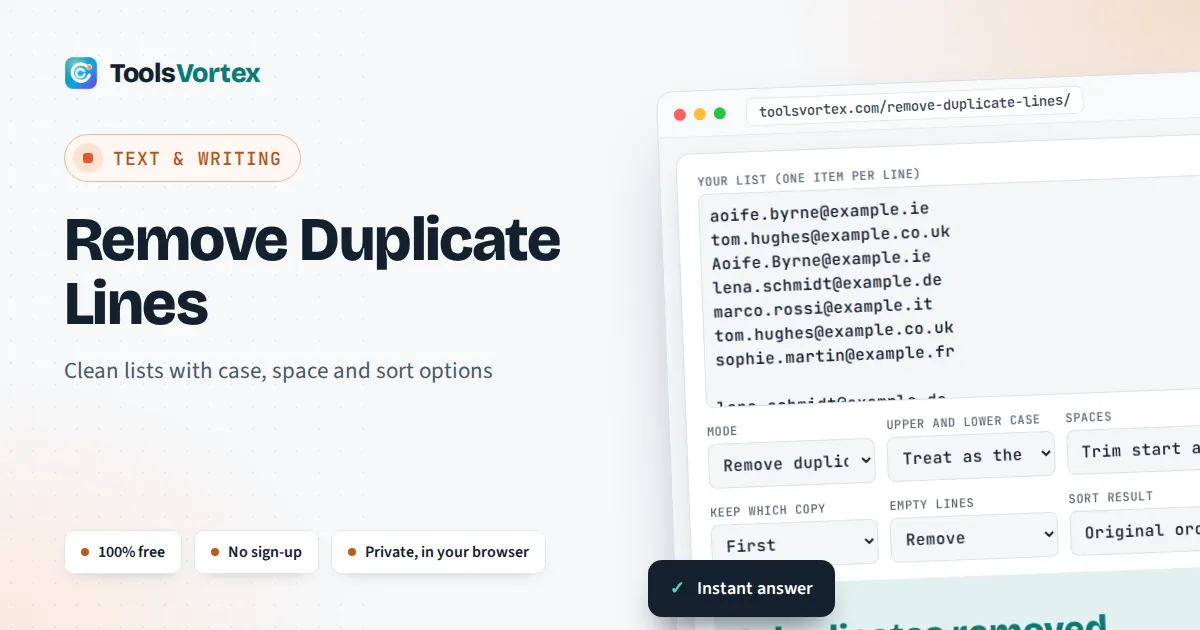
This tool removes duplicate lines from any list, such as email addresses, product codes, keywords, URLs or log entries, for marketers, developers, researchers and anyone tidying a spreadsheet column. It works on whole lines: each line is compared with every other line in the list, not just the one next to it, and the first copy is kept in its original position. Options let you decide whether “Tom” and “TOM” or a line with a trailing space count as the same entry, which is where most simple dedupe tools give a wrong answer.
How do you remove duplicate lines from text?
Paste the text into a tool to remove duplicate lines, decide whether “Apple” and “apple” count as the same, and it keeps the first copy of each line in the original order. A list of 1,000 email addresses that contains 120 repeats becomes 880 unique lines. On Linux, awk ‘!seen[$0]++’ gives the same result.
How Does the Duplicate Line Remover Decide Two Lines Match?
Two lines match when their comparison keys are identical. The key is built from each line in four steps, and the line you get back is the original wording with only the spaces cleaned:
keep a line if it is the first (or last) line with its key
duplicates removed = lines in − unique keys − empty lines removed
Trimming removes spaces and tabs at the start and end, which is the most common reason two lines that look identical are treated as different. Collapse also turns runs of spaces inside a line into one. NFC normalisation, defined by the Unicode Consortium, makes characters such as é or Å match whether they were typed as one character or as a letter plus a combining accent, which happens when text is copied between Mac, Windows and web forms. Windows line endings (CR LF) are handled automatically.
Which Option Should You Choose?
Pick the mode by what you want to keep: one copy of everything, only the values that appear once, or a list of the values that repeat. The same jobs in other tools:
| What you want | Settings here | Command line | Spreadsheet |
|---|---|---|---|
| Each line once, original order | Remove duplicates, original order | awk ‘!seen[$0]++’ file | Google Sheets =UNIQUE(A:A) |
| Each line once, sorted | Remove duplicates, A to Z | sort -u file | Excel: Data > Data Tools > Remove Duplicates, then sort |
| Only lines that appear once | Keep lines that never repeat | sort file | uniq -u | =UNIQUE(A:A,,TRUE) |
| One copy of each repeated line | Show only repeated lines | sort file | uniq -d | Conditional formatting, then filter |
| Ignore upper and lower case | Treat as the same | sort -f file | uniq -i | Use LOWER() in a helper column |
Note that uniq on its own only removes duplicates that sit on consecutive lines, so it must follow sort, and sort loses your original order. Excel’s Remove Duplicates deletes data permanently and compares what is displayed in each cell, so a date shown in two formats counts as two values. Keep a copy before you run it, or paste the column here first.
Why Are Some Duplicates Not Removed?
Duplicates survive when the lines differ in a way you cannot see. The usual causes are a trailing space or tab, a different case, a non-breaking space pasted from a web page or Word, curly versus straight quotes, or an invisible zero-width character. Set Spaces to “Trim and collapse” and case to “Treat as the same” to catch the first three. For mixed capital letters across a whole list, the case converter can standardise everything first. Simple lowercasing also cannot match the German “Straße” with “STRASSE”, because ß has no single capital in everyday use, so check German, Dutch or Turkish lists by eye after cleaning.
Is It Safe to Deduplicate Mailing Lists Under GDPR?
Yes, and removing duplicates helps you meet two of its principles. Article 5 of the UK GDPR and the EU GDPR says personal data must be “limited to what is necessary” (data minimisation) and “accurate and, where necessary, kept up to date” (accuracy). A list with the same subscriber three times breaks both: you store more than you need and you may email someone after they have unsubscribed under one copy. Because this page processes everything locally in your browser, the addresses are not sent to a third party server, so using it does not add a new data processor to your records.
Worked Example: Cleaning a Newsletter List
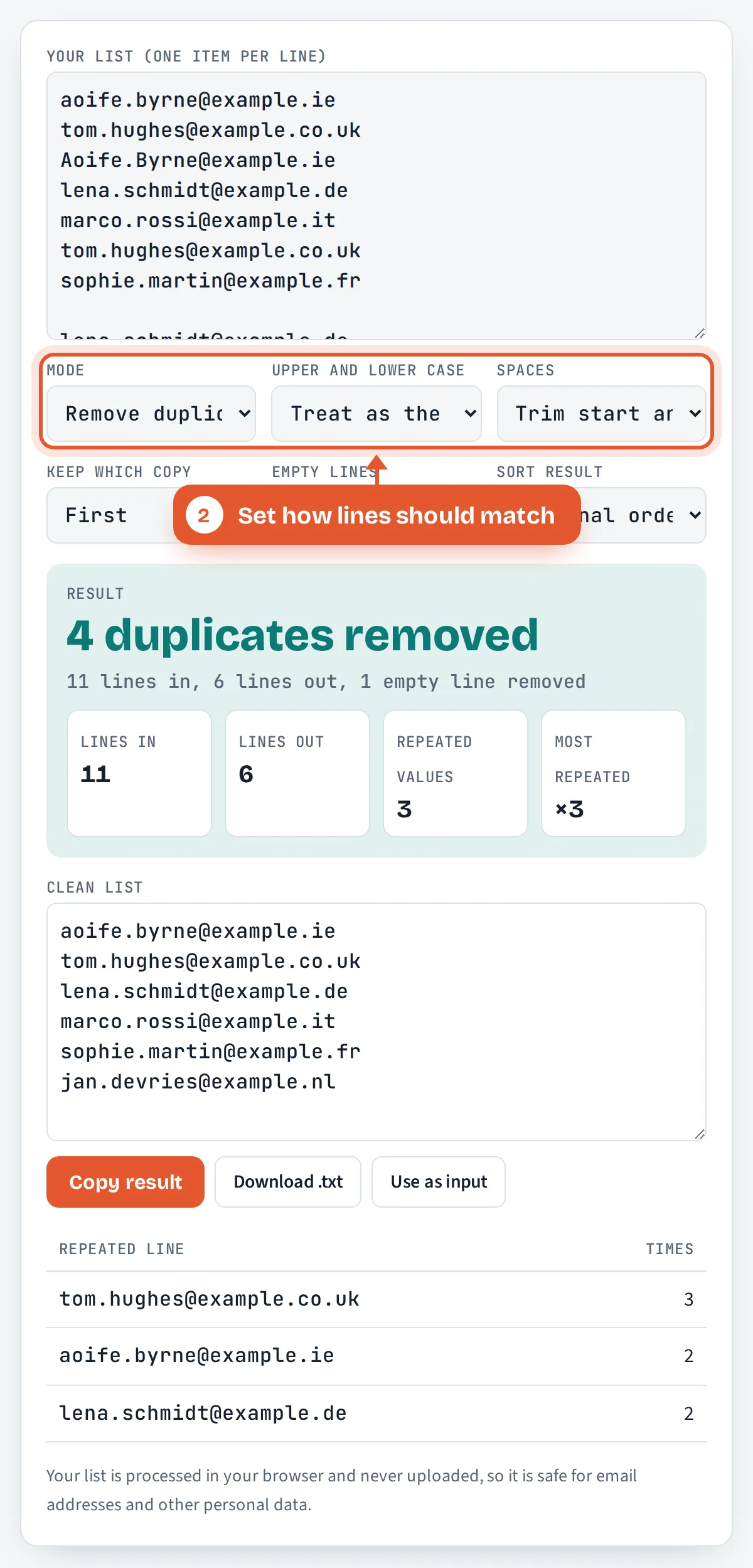
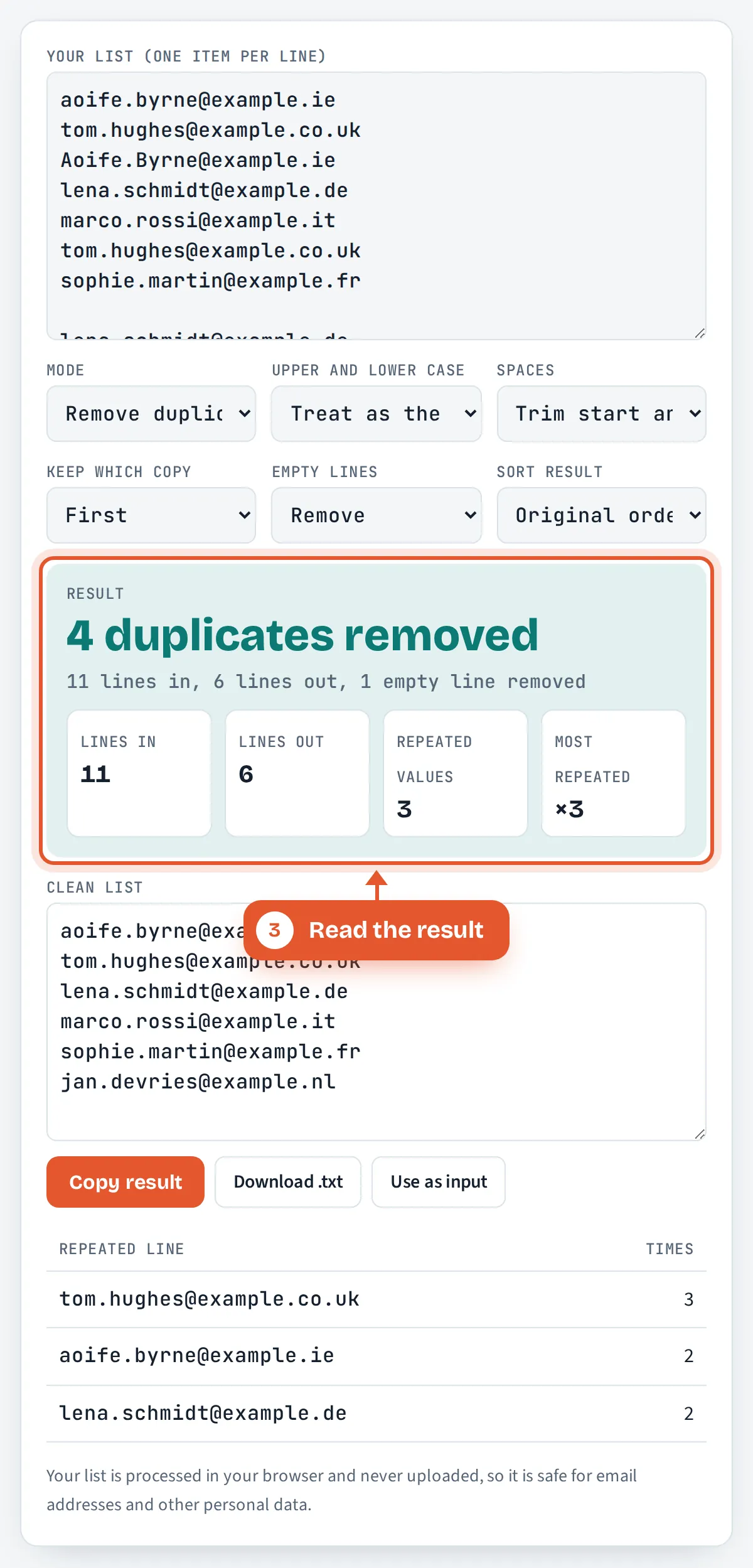
Ciara exports subscribers for a shop that sells to Ireland, the UK and the EU. The 11 line export above has one blank line and the same people typed in different ways: “Aoife.Byrne” and “aoife.byrne”, and Tom’s address three times, once in capitals and once with two trailing spaces. With case set to “Treat as the same” and Spaces set to “Trim start and end”, the tool removes 4 duplicates and 1 empty line, leaving 6 unique addresses.
The report shows Tom’s address appeared 3 times and Aoife’s and Lena’s twice. With case set to “Treat as different”, only 2 duplicates are found and 8 lines remain, which would mean emailing Tom twice. To count words or characters in the cleaned text, use the word counter.
How Do You Use the Remove Duplicate Lines Tool?
Paste your list
Put one item per line in the input box, or paste a column straight from Excel or Google Sheets.

Set how lines should match
Choose the mode, whether upper and lower case count as the same, and how spaces are handled.
Read the result
The large figure shows how many duplicates were removed, with lines in, lines out and the most repeated value.
Copy or download
Copy the clean list, download it as a text file, or move it back to the input to run another pass.


Frequently Asked Questions
Does removing duplicate lines change the order of my list?
No, not by default. The tool keeps the first copy of each line in its original position and simply drops the later repeats. Choose Last under Keep which copy to keep the final copy instead, or pick A to Z or Z to A to sort the result.
Is the duplicate check case sensitive?
You decide. With “Treat as the same”, Apple, apple and APPLE count as one line and the first spelling is kept. With “Treat as different”, they stay as three separate lines, which suits passwords, codes and other case sensitive data.
How do I find duplicate lines without deleting them?
Set Mode to “Show only repeated lines”. The result lists one copy of every line that appears more than once, and the report table shows how many times each one occurs, so you can review them before cleaning the original list.
How many lines can I paste?
There is no set limit. The tool uses a fast lookup that handles lists of 100,000 lines or more in a modern browser within a second or two. Very large files of many megabytes may make the page slow on older phones.
Does it remove duplicate words or only lines?
Only whole lines. Two lines must match completely, after any trimming or case rules you choose, to count as duplicates. To deduplicate words in a sentence, first put each word on its own line, for example by replacing spaces with line breaks.
Is my data uploaded anywhere?
No. The list is processed by JavaScript running in your own browser and is never sent to a server or stored, so it is suitable for email addresses, customer IDs and other personal data covered by UK or EU GDPR.
Sources and Further Reading
- UK GDPR Article 5: Principles relating to processing of personal data, legislation.gov.uk
- Unicode Normalization Forms (UAX #15), Unicode Consortium
- Removing duplicate lines with uniq, Columbia University
Related Tools
Last reviewed: October 2026