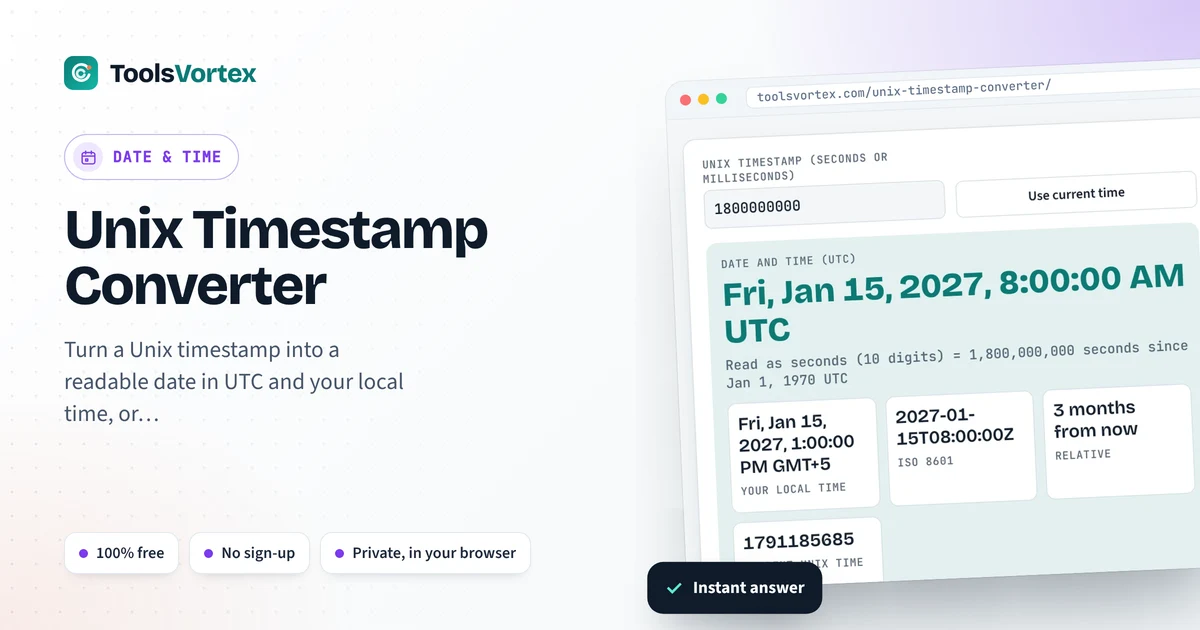
Paste a Unix timestamp and get the date in UTC and your own time, or go the other way. Seconds, milliseconds and even microseconds get spotted for you.
Date to timestamp

I kept squinting at numbers like 1800000000 in server logs, so I finally put together this Unix timestamp converter. APIs love that kind of number. So do databases and JWT tokens and pretty much every log I’ve had to read at 2 AM with cold coffee next to the keyboard. Paste it in and you get the date in UTC, in your own zone and as ISO 8601, plus a rough “how long ago” (or how far off). Thirteen digits instead of ten? Then it’s milliseconds, and the tool notices on its own. The second box lower down runs backwards, date in and timestamp out, which is handy when you’re writing a query.
How do I convert a Unix timestamp to a date?
Seconds. That’s all a Unix timestamp is, a count of seconds since midnight UTC on January 1, 1970. Divide by 86,400 and you’ve got days since then, but honestly just drop it into the Unix timestamp converter. Try 1800000000. You’ll get Friday, January 15, 2027 at 8:00:00 AM UTC, which in New York is 3 AM, so I hope nobody’s paging you. Oh, and if you’re staring at 13 digits, those are milliseconds. Chop by 1,000 first.
How Unix time is counted
Milliseconds = seconds × 1,000 · Days = seconds ÷ 86,400
Here’s the odd bit. Unix time just acts like leap seconds never happened, so each day gets exactly 86,400 seconds and not one more. And it doesn’t care where you are either: same number in Tokyo as in Toledo at the same instant. Your screen is what drags time zones into it.
Notable Unix timestamps
| Timestamp | Date and time (UTC) |
|---|---|
| 0 | Thu, Jan 1, 1970, 00:00:00 |
| 1,000,000,000 | Sun, Sep 9, 2001, 01:46:40 |
| 1,700,000,000 | Tue, Nov 14, 2023, 22:13:20 |
| 1,800,000,000 | Fri, Jan 15, 2027, 08:00:00 |
| 2,000,000,000 | Wed, May 18, 2033, 03:33:20 |
| 2,147,483,647 | Tue, Jan 19, 2038, 03:14:07 |
Bottom row. That one’s fun. Old code that kept time in a signed 32-bit integer can’t go past 2,147,483,647, it just runs out of room. One tick later it flips back to December 1901. People call it the year 2038 problem, Y2K’s nerdier cousin. If your stuff is on 64-bit time, relax, you’ve got billions of years.
Wrong date? Check these first
| What you see | What probably happened | Fix |
|---|---|---|
| A date in January 1970 | Seconds went into something that wants milliseconds, like JavaScript’s new Date() | Multiply by 1,000 |
| A year tens of thousands of years away | Milliseconds were read as seconds | Divide by 1,000 |
| Right day, hours off | A UTC time was shown as local time, or the reverse | Decide which zone you meant and convert once |
| Excel shows a huge number | Excel counts days since 1900, not seconds since 1970 | =A2/86400+DATE(1970,1,1), then format as a date |
Getting the current timestamp in code
Python: int(time.time())
Bash: date +%s
MySQL: SELECT UNIX_TIMESTAMP();
How to use the Unix Timestamp Converter
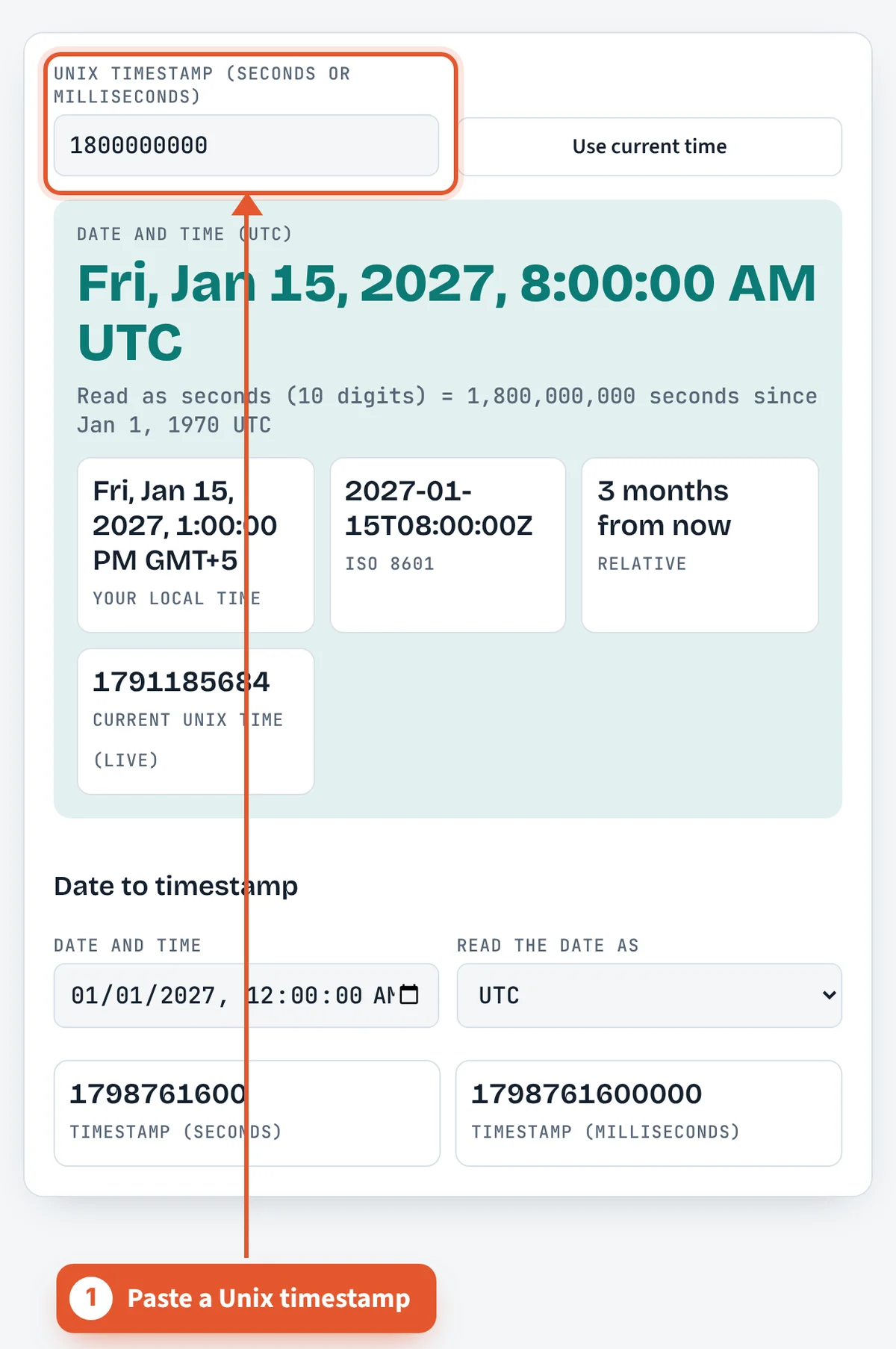
Paste the timestamp
Paste it (typing ten digits by hand is how typos happen, ask me how I know). You don’t need to say if it’s seconds or milliseconds, it guesses from the length.

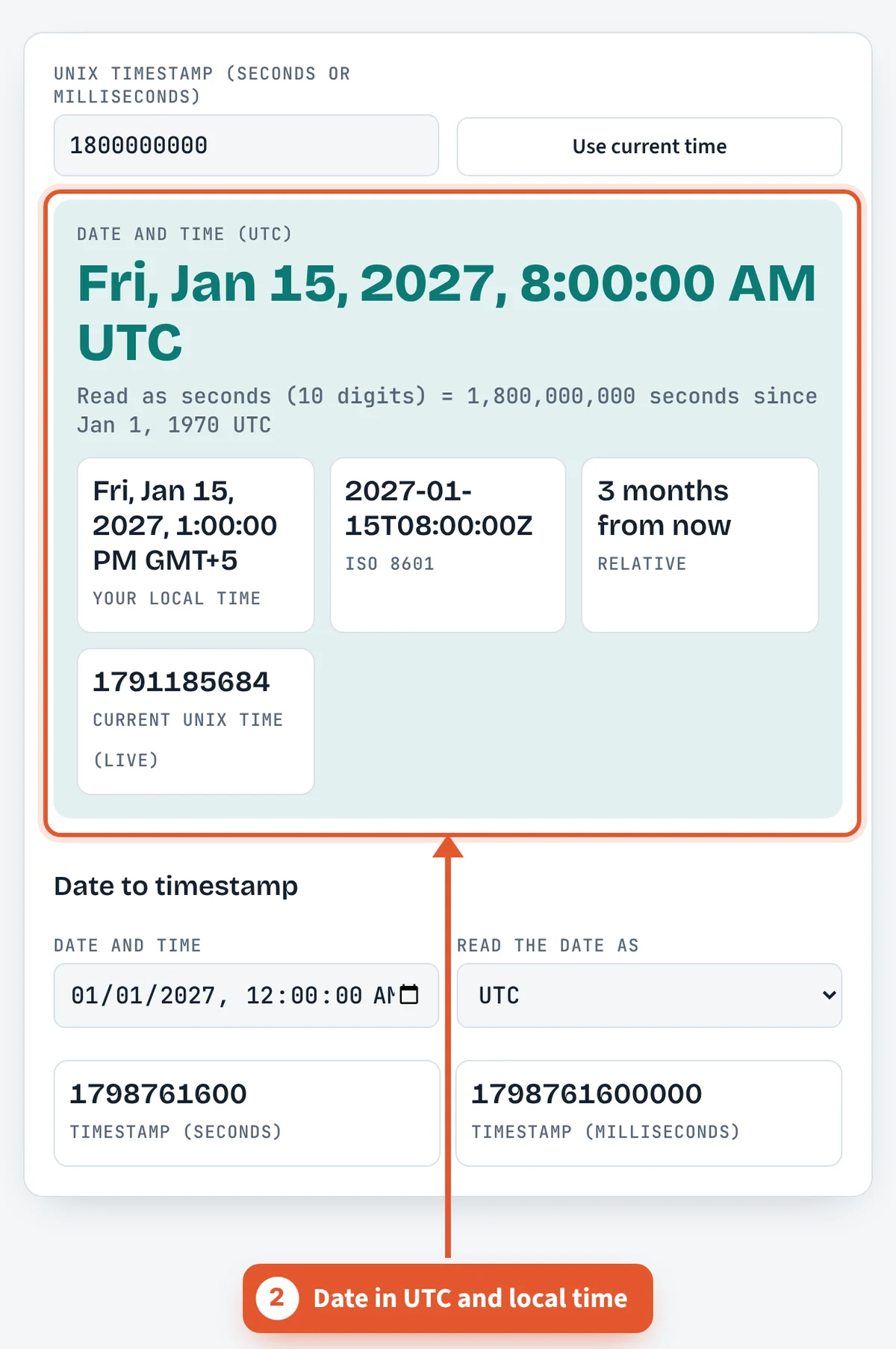
Read the date
UTC is the big line up top. Under it sit your local time, the ISO 8601 string and a little note like “3 months from now”.
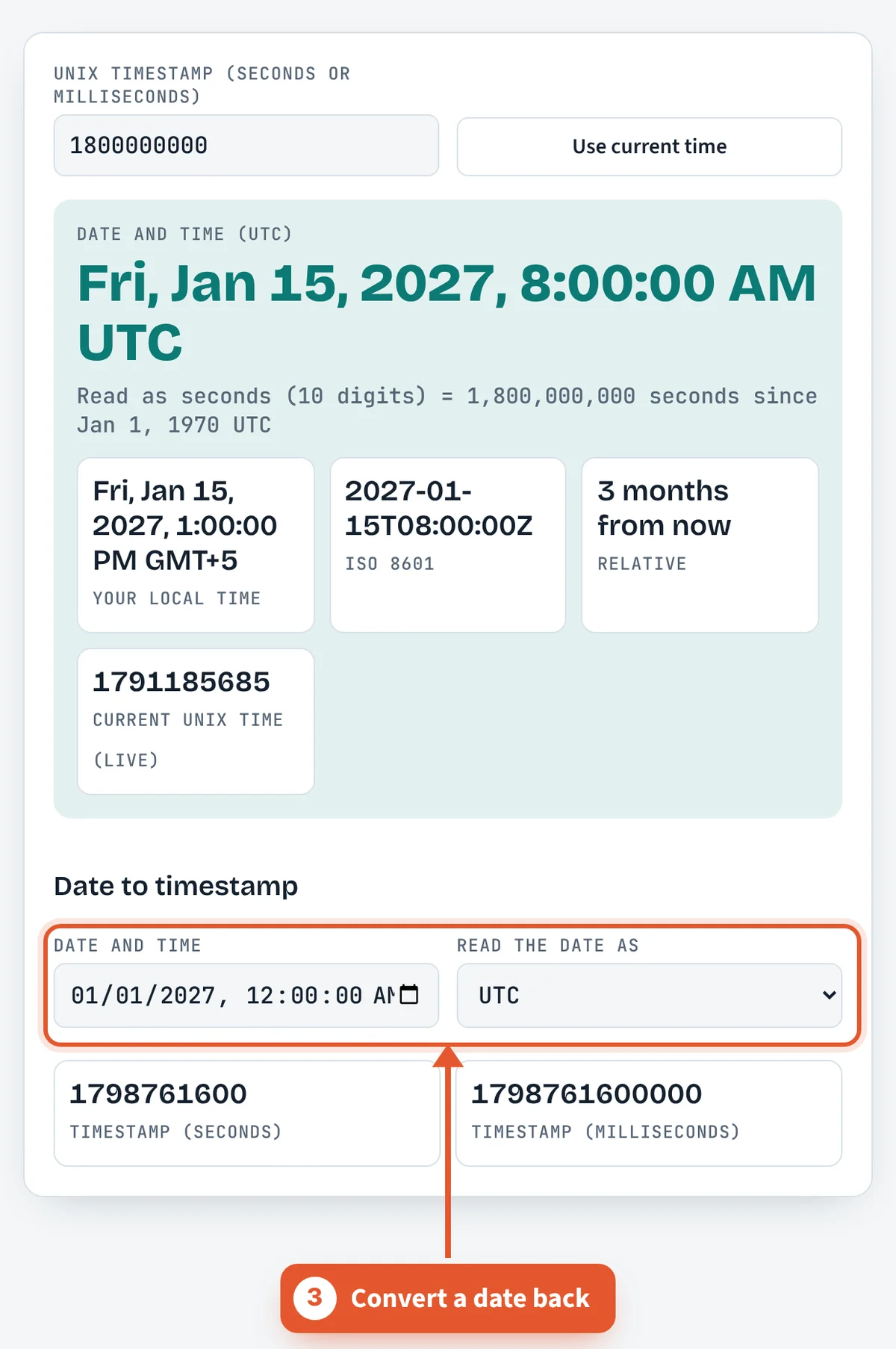
Convert a date back
Second box, further down. Set a date, flip the UTC/local dropdown to whatever you meant, grab the number.
Does Unix time count leap seconds?
No. The POSIX standard defines Unix time as if every day had exactly 86,400 seconds. Real UTC occasionally adds a leap second to keep clocks in step with the Earth’s rotation, which slows irregularly. The International Earth Rotation and Reference Systems Service (IERS) announces these, and 27 have been added since 1972, the most recent on December 31, 2016.
When a leap second happens, Unix time either repeats a second or the system clock is slewed gradually. Some large operators use a “leap smear” that spreads the extra second across many hours so no timestamp repeats. The practical result: subtracting two Unix timestamps that straddle a leap second gives an answer one second short of the true elapsed time.
Atomic time (TAI) does count every second, so TAI is currently 37 seconds ahead of UTC. In 2022 the General Conference on Weights and Measures (CGPM) voted to stop inserting leap seconds by or before 2035, which will make this quirk mostly historical. If you need to turn a timestamp into a local clock time afterward, the time zone converter handles the offset.
What other timestamp formats and epochs will I run into?
Not every system counts from January 1, 1970. If a converted date lands decades off, the number probably uses a different epoch or unit. Check the source system’s documentation before assuming seconds since 1970.
| Format | Epoch | Unit |
|---|---|---|
| Unix / POSIX | Jan 1, 1970 UTC | seconds |
| JavaScript Date.now() | Jan 1, 1970 UTC | milliseconds |
| Windows FILETIME | Jan 1, 1601 UTC | 100 nanoseconds |
| NTP | Jan 1, 1900 UTC | seconds |
| GPS time | Jan 6, 1980 | weeks and seconds |
| Apple Cocoa (Core Data) | Jan 1, 2001 UTC | seconds |
Human-readable strings follow RFC 3339, a profile of ISO 8601, such as 2026-10-10T14:30:00Z. The trailing Z means UTC. Logs that show times like 14:30 are in 24-hour form; the military time converter turns them into AM and PM.
Frequently asked questions
What is a Unix timestamp?
Just a running count of seconds, starting from midnight UTC on January 1, 1970 (folks call that moment the Unix epoch). Leap seconds don’t get counted. Nobody misses them much.
How do I tell seconds from milliseconds?
Count the digits, that’s my whole trick. Ten for seconds, thirteen for milliseconds, at least for anything from this era. The mess usually starts when JavaScript (Date.now() is in ms) talks to Python or a shell script (seconds).
Why does my timestamp show a date in 1970?
Ha, classic. Something wanted milliseconds and got seconds. new Date(1800000000) in JavaScript puts you on January 21, 1970, about three weeks after the epoch, which is not what anybody meant. Times 1,000 and boom, January 15, 2027.
How do I convert a Unix timestamp in Excel or Google Sheets?
=A2/86400+DATE(1970,1,1), then set the cell format to date plus time. Mind you that’s UTC, not your local clock. Milliseconds in column A? Swap 86400 for 86400000.
Is a Unix timestamp in UTC or local time?
Kind of neither? It’s one number for one moment, counted from a UTC start. The zone sneaks in later, at the display step, and that’s where I’d look if your hours are off by 5 or 8.
What happens in 2038?
January 19, 2038, 03:14:07 UTC. That’s the last second a signed 32-bit counter can hold, and after it some old box in a closet might decide it’s 1901. Your laptop’s fine. Ancient routers and embedded stuff, eh, maybe not.
Can I convert dates before 1970?
Sure, they just go negative. Midnight UTC on December 31, 1969 is −86,400, one day before zero.
Sources and further reading
Related tools
Last reviewed: October 2026