Shrink any photo, signature or document scan to 20KB or less in a few seconds. Free, no sign-up, and your image never leaves your device.
Everything happens inside your browser. Nothing is uploaded to any server.
Online application forms often put a hard cap on photo size, and 20KB is one of the most common limits. Phone cameras produce files of 2 to 5 MB, so the form rejects them straight away. This tool lowers the JPG quality and, only when it has to, the pixel size of your picture until it fits under the limit you set, while keeping the face or text as clear as possible.
How do I resize an image to 20KB?
Choose your image in the tool above, keep the target at 20 KB and press Resize. The tool tries different quality levels until the file lands just under 20KB. If quality alone isn’t enough, it reduces the width and height a little at a time. Then download the new file and upload it to your form.
What does 20KB actually mean?
KB stands for kilobyte, and 1 KB is 1,024 bytes. A 20KB file is about 20,000 bytes, roughly 1/150th of a normal phone photo. Forms check the file size on disk, not the width and height. That’s why a small-looking picture can still be rejected if it’s saved as a heavy PNG.
Common size limits and what they’re used for
| Size limit | Usually asked for | Good dimensions |
|---|---|---|
| 10–20 KB | Signature, thumb impression | 140 × 60 px to 300 × 120 px |
| 20–50 KB | Passport-style photo for job and exam forms | 200 × 230 px to 350 × 450 px |
| 50–100 KB | Photo with more detail, small document scan | Up to 600 px wide |
| 100–300 KB | ID card, degree or certificate scans | 800–1200 px wide |
Always read the form’s own instructions first. If it gives exact pixel dimensions, type the width into Max width before resizing.
How to use the 20KB image resizer
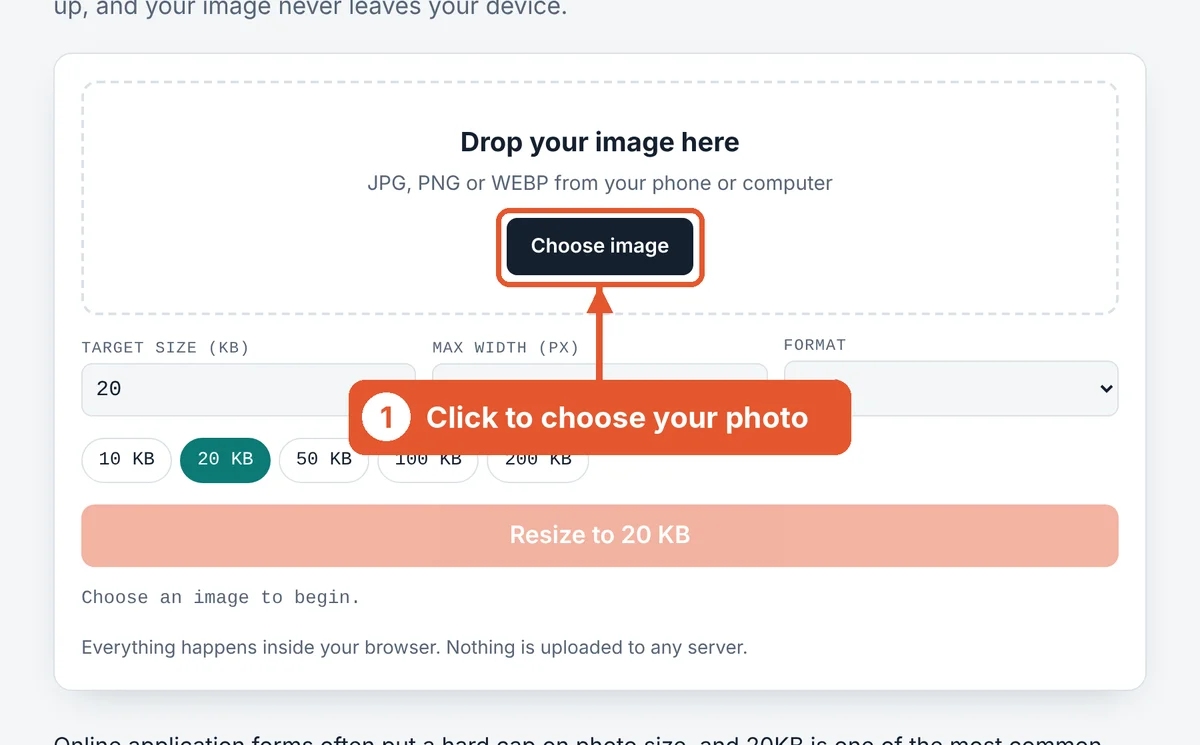
Choose your image
Click Choose image or drag the file into the dashed box. On a phone you can pick straight from your gallery or take a new photo.
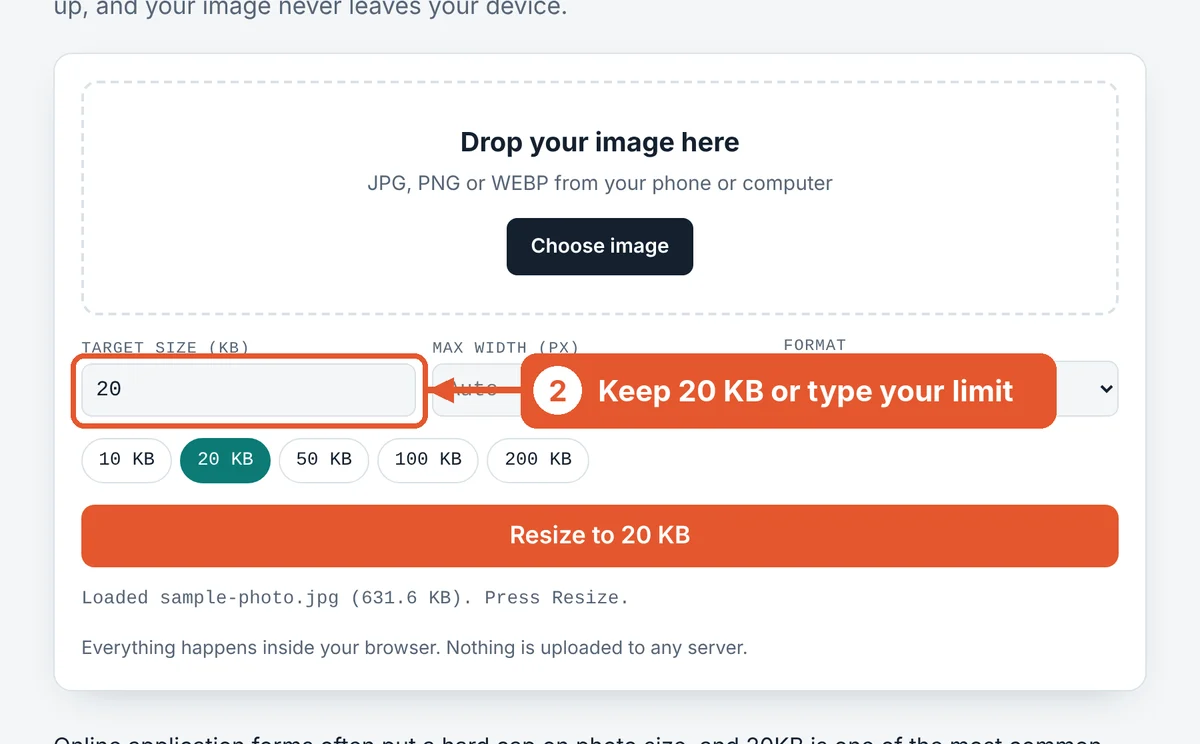
Check the target size
The target is already set to 20 KB. Tap a different chip or type your own number if your form asks for something else.
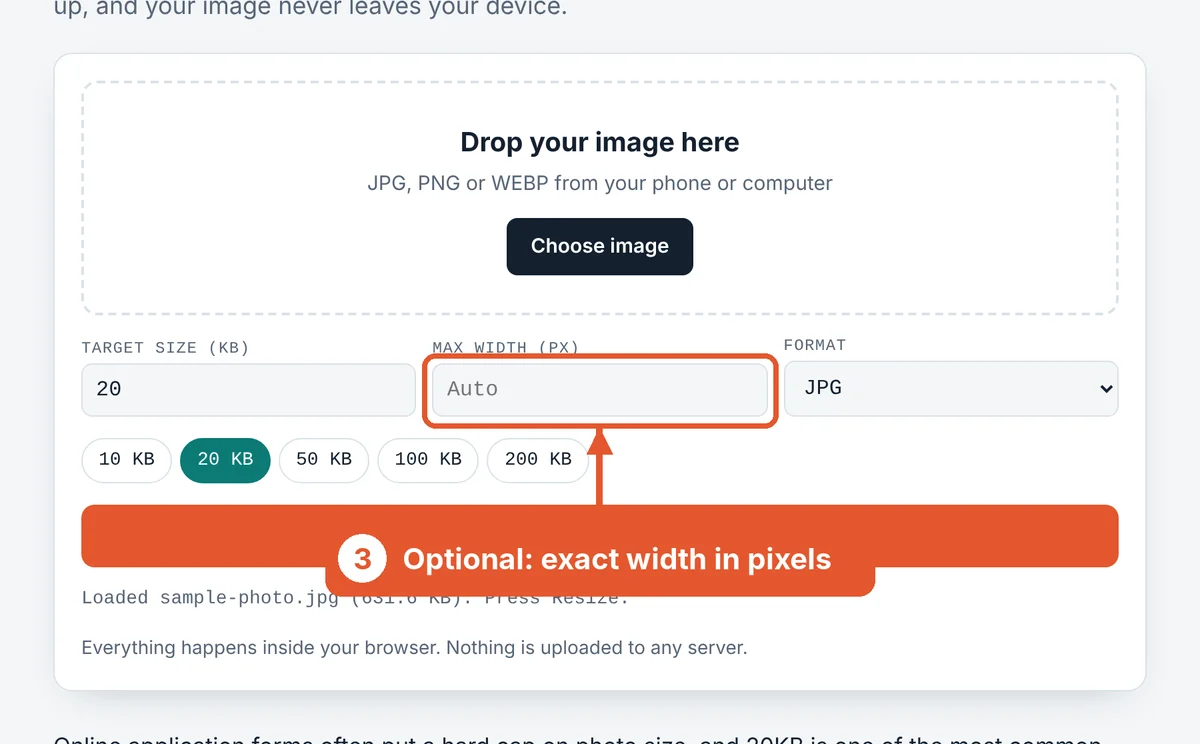
Set a width if the form asks for one
If the form wants exact dimensions, type the width here. Leave it on Auto and the tool keeps the original size for as long as it can.
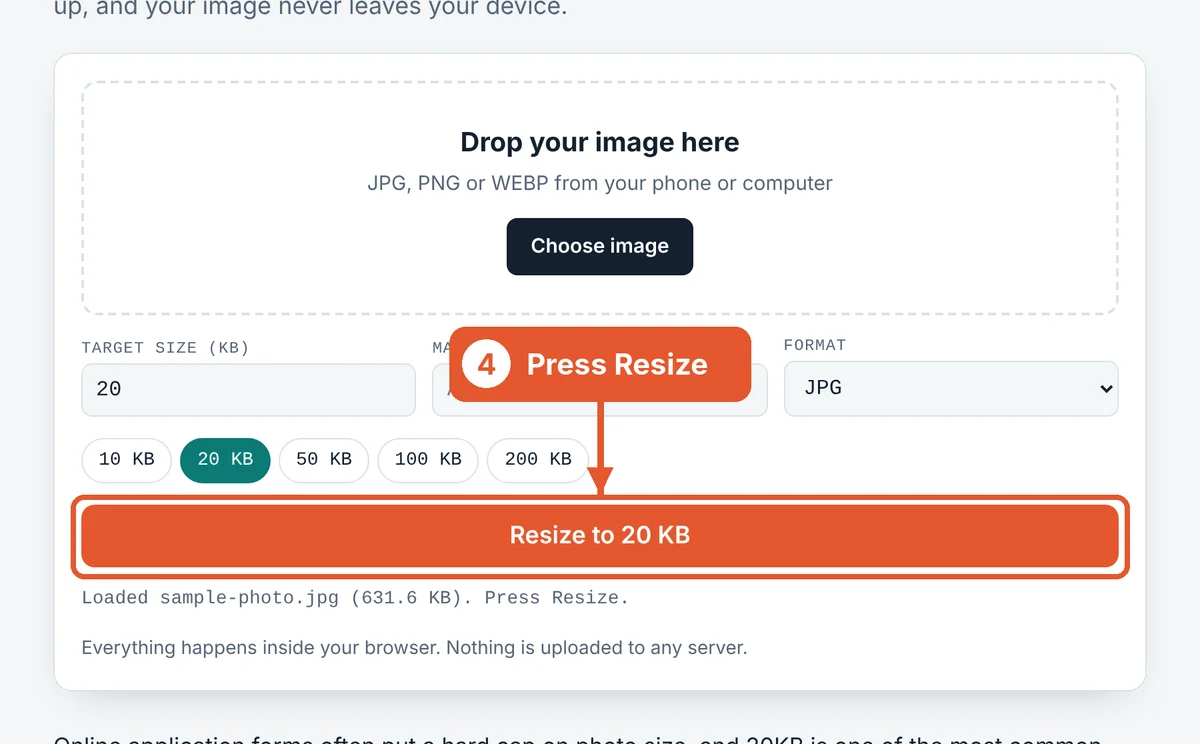
Press Resize
Hit the orange Resize to 20 KB button. Large phone photos usually finish in a second or two.
Compare and download
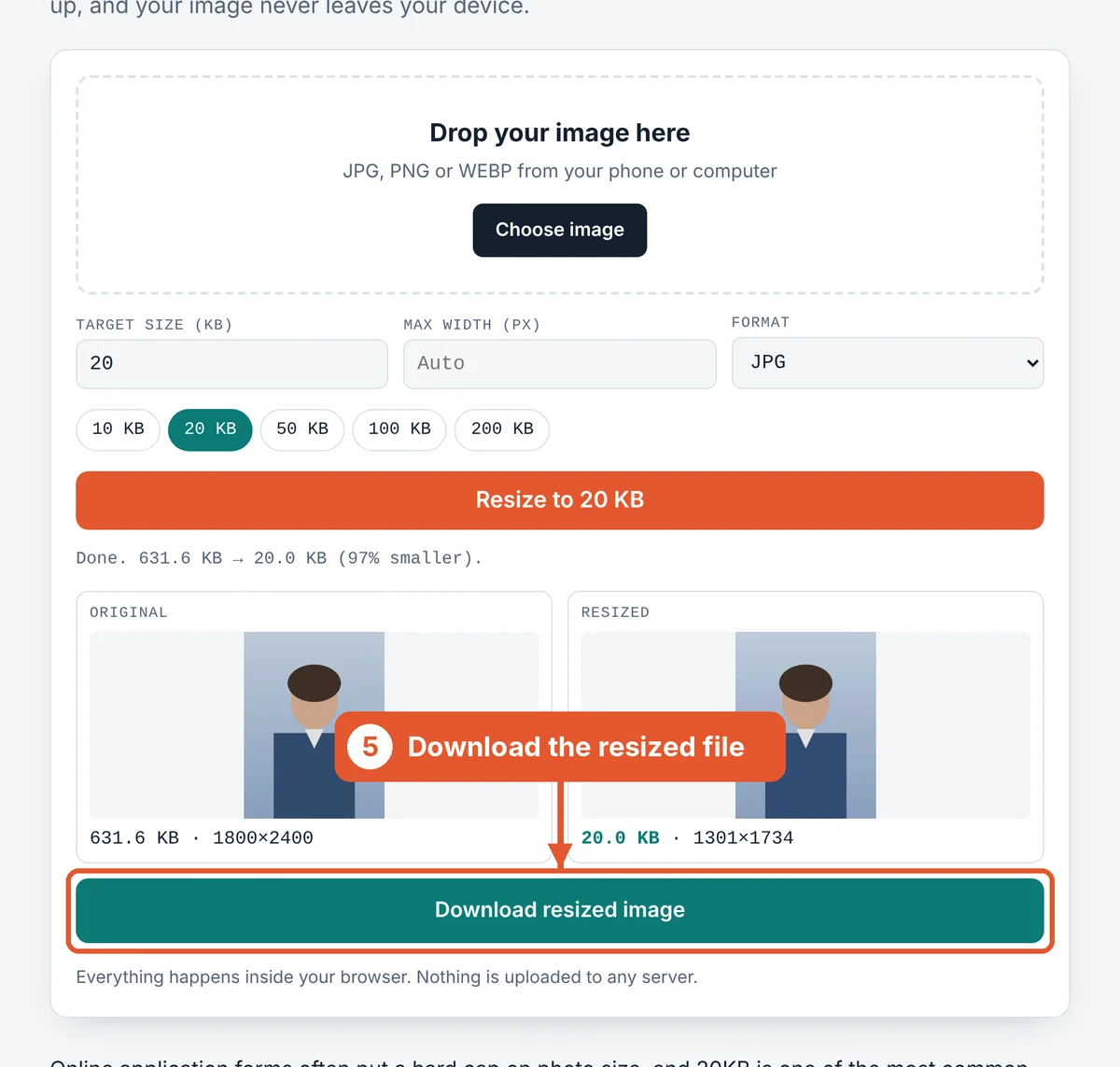
The original and the resized copy appear side by side with their sizes. The new size turns green when it fits. Click Download resized image and upload that file.
Tips for a sharp 20KB photo
Crop before you resize. Empty background still uses up bytes. A photo cropped to head and shoulders stays much clearer at 20KB than a full-body shot.
Use a plain background. A white or light wall compresses far better than a busy room, so more of the 20KB goes to your face.
Pick JPG for photos. PNG is great for screenshots but poor for photos at tiny sizes. WEBP is smaller still, but many portals only accept JPG, so JPG is the safe default.
Signatures need contrast. Sign with a dark pen on white paper and photograph it in daylight. Clean black-on-white lines easily fit under 10KB.
Frequently asked questions
Is this 20KB image resizer free?
Yes. There’s no sign-up, no watermark and no daily limit. You can resize as many photos as you need.
Are my photos uploaded anywhere?
No. The resizing runs in your own browser using JavaScript. Your picture never leaves your phone or computer, which matters when you’re working with ID photos and signatures.
Why is my image still blurry after resizing?
20KB is very small, so some detail always goes. Crop out the background first and use a plain backdrop. If your form allows it, a 30–50KB file will look noticeably sharper.
Can I resize an image to exactly 20KB?
The tool aims for just under the target, usually between 17KB and 20KB. Forms accept anything at or below the limit, so landing slightly under is the safest result.
Will it work on my phone?
Yes. It works in Chrome, Safari and other modern mobile browsers on Android and iPhone. Tap Choose image to pick from your gallery.
How do I resize a photo to 20KB without changing its dimensions?
Leave Max width on Auto. The tool lowers quality first and only shrinks the dimensions if quality alone can’t reach 20KB. For very large photos, a smaller pixel size is unavoidable.
Can I convert a PNG to a 20KB JPG?
Yes. Choose your PNG and keep the format on JPG. Transparent areas turn white, which is what most forms expect anyway.
Related tools
Last reviewed: October 2026