Round any number to decimal places, significant figures or the nearest multiple, with 8 rounding methods compared side by side and the upper and lower bounds shown for every answer.
| Result | Method | How it treats the rest |
|---|
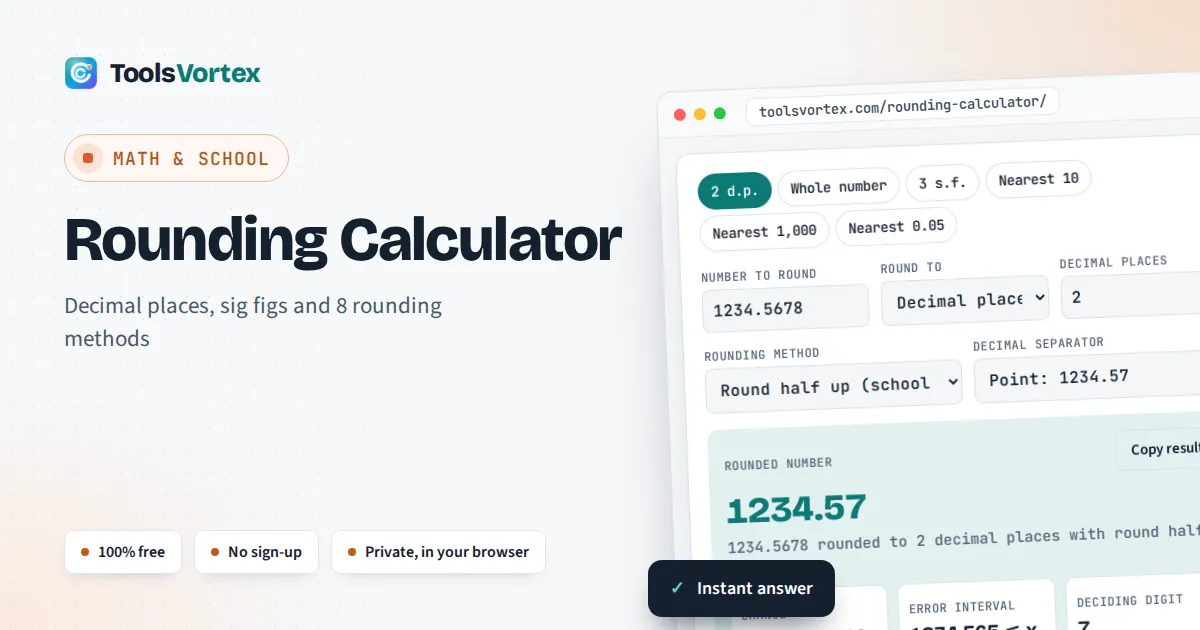
This rounding calculator rounds a number to the decimal places, significant figures or multiple you choose, for students checking homework, teachers writing answer keys and anyone tidying money, measurements or data. It works on the exact decimal digits you type, so awkward cases such as 1.005 to two places give the textbook answer of 1.01, and it accepts the decimal comma used across most of Europe.
How do you round a number?
Find the last digit you want to keep, then look at the digit to its right. If that deciding digit is 5 or more, increase the kept digit by one. If it is 4 or less, leave it. Drop everything after. A rounding calculator gives 1234.5678 to 2 decimal places as 1234.57.
How does rounding work?
Every kind of rounding is the same idea: choose a step size, then replace your number with a whole multiple of that step. Two decimal places means a step of 0.01, the nearest 10 means a step of 10, and 3 significant figures means a step set by where the first non zero digit sits.
Decimal places d: step = 10−d · Nearest multiple m: step = m
Significant figures n: step = 10(position of first non zero digit − n + 1)
Error interval (half up): rounded − step ÷ 2 ≤ x < rounded + step ÷ 2
The only real choice is what to do when the number sits exactly half way between two steps, such as 2.5 between 2 and 3. That choice is the rounding method, and it is why different programs can give different answers for the same number.
Which rounding method should you use?
Use round half up for school maths and everyday answers, half to even when you add up many rounded values, and ceiling or floor when the answer has to stay on one side, such as buying enough tiles or counting full boxes. Here is how each method treats the same half way and non half way inputs, rounded to a whole number:
| Method | 2.5 | 3.5 | −2.5 | −2.6 |
|---|---|---|---|---|
| Round half up | 3 | 4 | −2 | −3 |
| Half away from zero | 3 | 4 | −3 | −3 |
| Half to even (banker’s) | 2 | 4 | −2 | −3 |
| Round half down | 2 | 3 | −3 | −3 |
| Half towards zero | 2 | 3 | −2 | −3 |
| Ceiling (always up) | 3 | 4 | −2 | −2 |
| Floor (always down) | 2 | 3 | −3 | −3 |
| Truncate | 2 | 3 | −2 | −2 |
Notice that the methods only disagree on exact halves, except ceiling, floor and truncate, which ignore the half way rule entirely. With positive numbers, half up and half away from zero always match. They split only on negative halves: half up sends −2.5 to −2, half away from zero sends it to −3.
How do you round to significant figures?
Start counting at the first non zero digit, keep the number of digits you need, then round the next digit as usual and fill any gap before the decimal point with zeros. Leading zeros never count, as the Open University’s maths course puts it: the first non zero digit from the left is the first significant figure.
- 0.004567 to 2 significant figures: the first two significant digits are 4 and 5, the next digit is 6, so the answer is 0.0046.
- 345,678 to 3 significant figures: keep 345, the next digit is 6, so it becomes 346,000.
- 9.996 to 3 significant figures: rounding up carries all the way, giving 10.0. The trailing zero matters, because it shows the answer is accurate to 3 figures.
Significant figures are the better choice for measurements and science, where the size of the number varies, while decimal places suit money and anything with a fixed unit. To turn a rounded decimal into an exact ratio, use the decimal to fraction calculator.
What is banker’s rounding and why do computers use it?
Banker’s rounding, or round half to even, sends an exact half to whichever neighbour is even, so 2.5 becomes 2 and 3.5 becomes 4. Because halves go up half the time and down half the time, totals of many rounded numbers do not drift upwards. It is the default “ties to even” mode of the IEEE 754 floating point standard, and Python’s built in round() uses it: round(2.5) returns 2.
A second surprise is that computers store most decimals in binary, so 1.005 is really held as 1.00499999999999989… That is why JavaScript’s (1.005).toFixed(2) returns 1.00 rather than 1.01. This calculator avoids the problem by rounding the decimal digits exactly as you typed them.
How are euro amounts rounded in the EU?
EU law rounds money to the nearest cent, and an exact half cent is rounded up. Article 5 of Council Regulation (EC) No 1103/97 says converted amounts “shall be rounded up or down to the nearest cent”, and that a result exactly half way “shall be rounded up”. The same regulation fixed the euro conversion rates to six significant figures. For positive amounts this is round half up, so pick that method with 2 decimal places for euro, pound or dollar sums.
Worked example: Niamh splits a €100 dinner bill three ways
Niamh and two friends in Cork owe €100 between them. 100 ÷ 3 = 33.3333…, which rounds to €33.33 each. But 3 × €33.33 = €99.99, one cent short of the bill. Rounding error adds up, so one person pays €33.34. The same thing happens with VAT on itemised receipts, which is why totals can differ by a cent from the sum of rounded lines. The percentage calculator helps when the split is uneven.
What are upper and lower bounds in GCSE maths?
Upper and lower bounds show every value that would round to a given answer, and they sit half a step either side of it. A length of 7.4 cm given to 1 decimal place could be anything from 7.35 cm up to, but not including, 7.45 cm, written 7.35 ≤ L < 7.45. GCSE exam questions call this the error interval.
The calculator shows the interval for every answer. For the nearest 10, 1,230 has bounds 1,225 ≤ x < 1,235. For ceiling and floor the interval sits on one side only: a number rounded up to 8 came from somewhere above 7 and up to 8.
How Do You Use the Rounding Calculator?
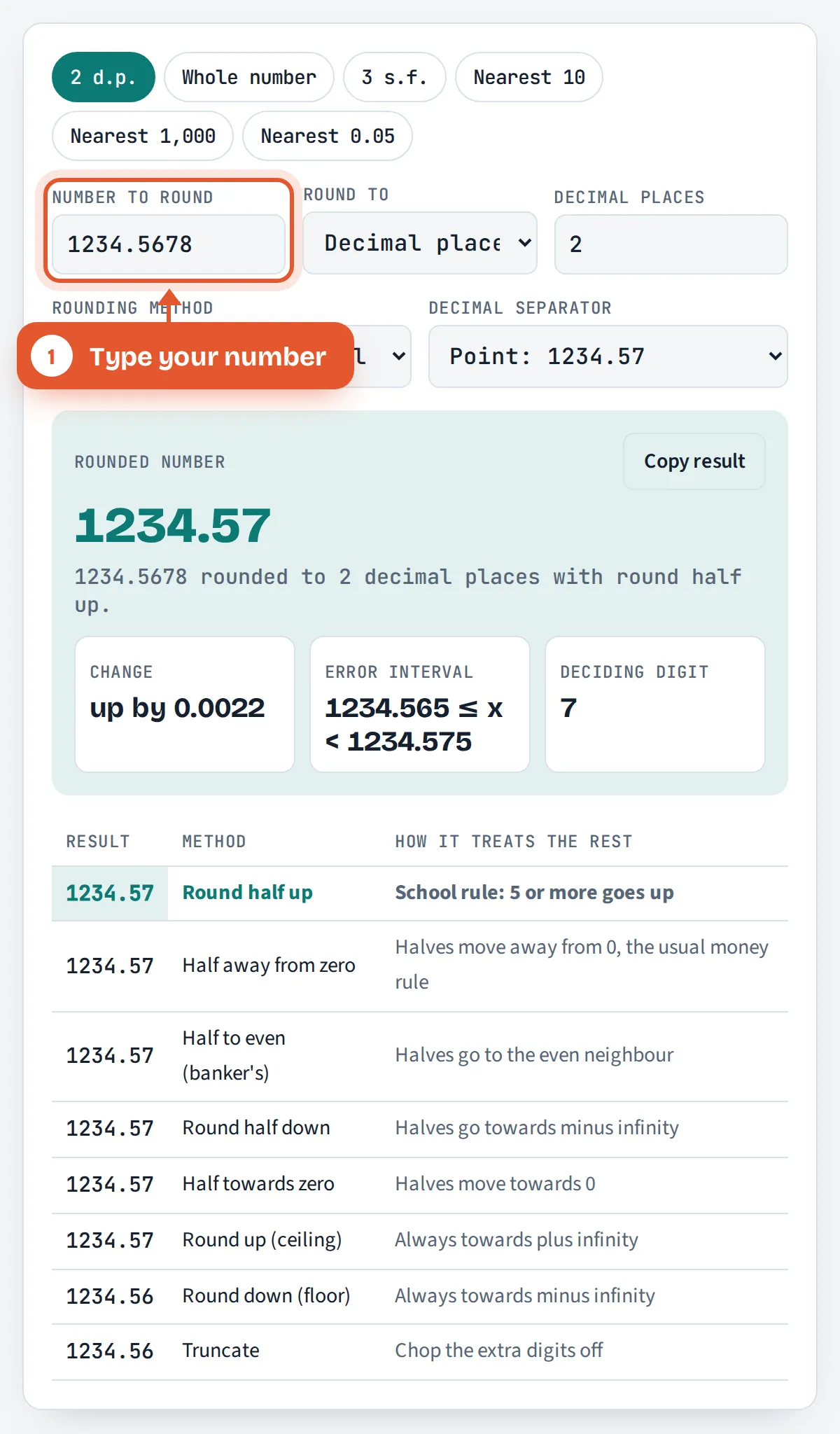
Type your number
Enter any number, negative or positive, with a decimal point or comma. Scientific notation such as 4.2e-5 also works.

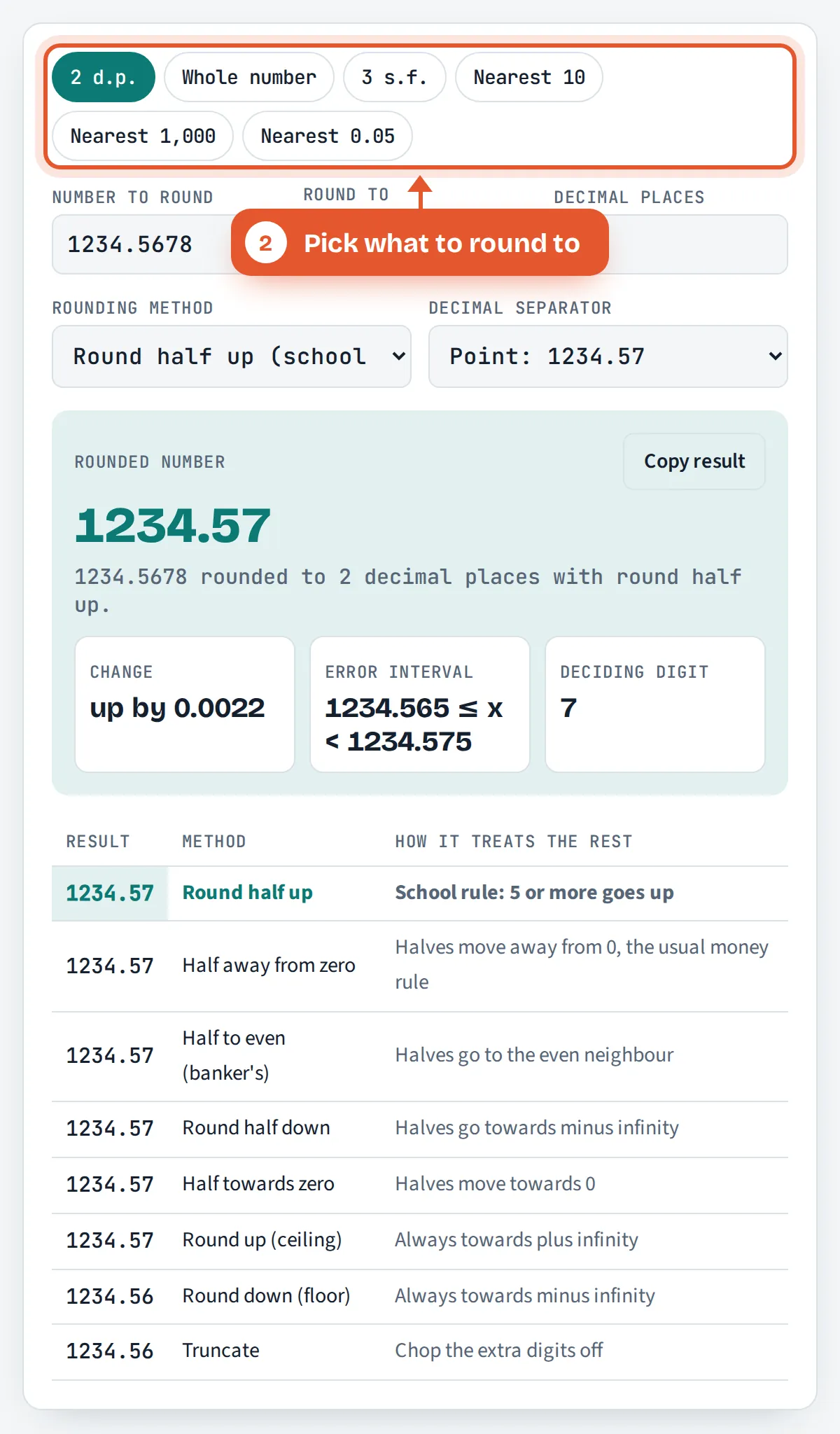
Pick what to round to
Choose decimal places, significant figures or a nearest multiple, or tap a preset such as 2 d.p. or Nearest 10.
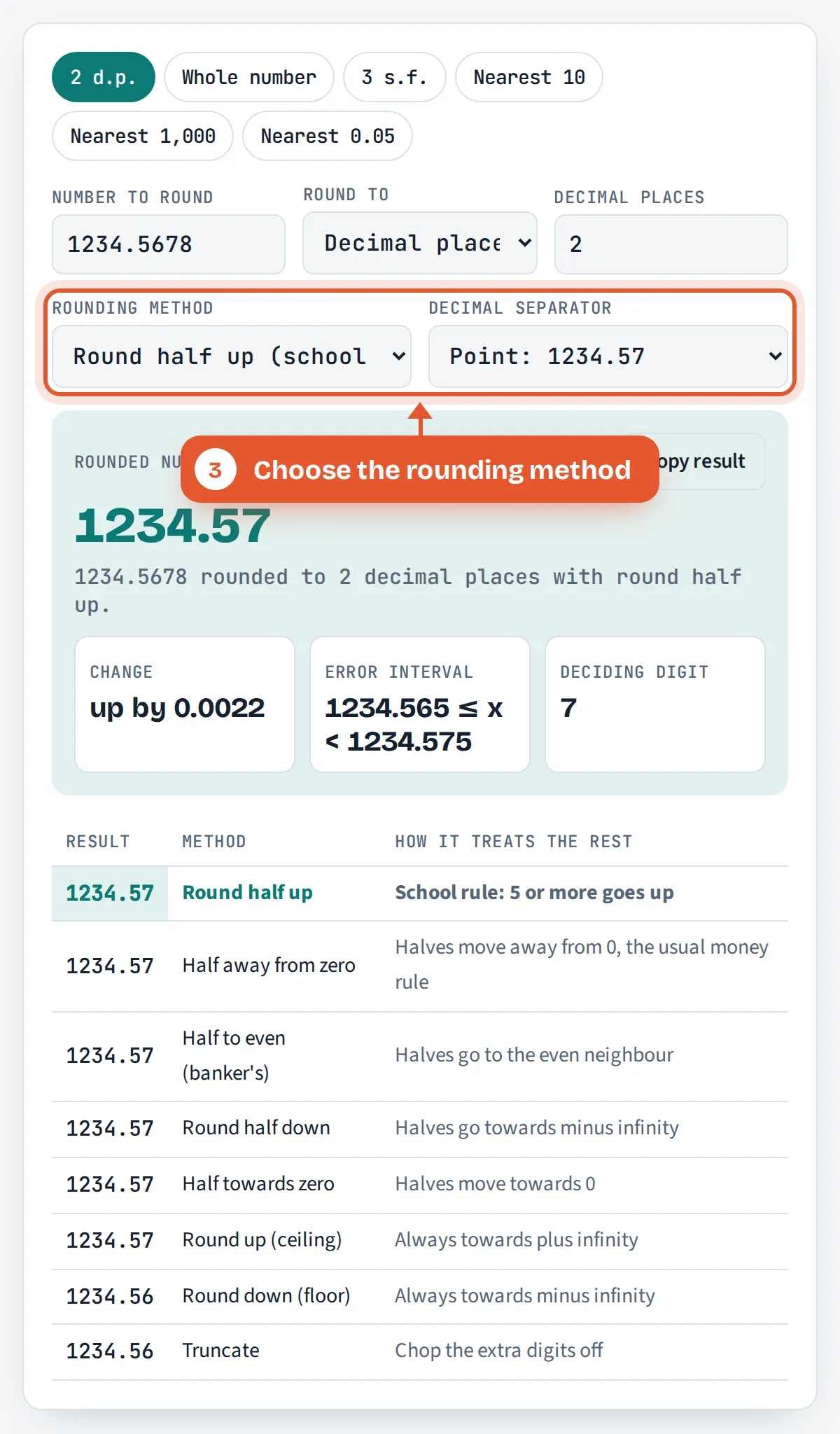
Choose the rounding method
Keep round half up for school work, or switch to banker’s rounding, ceiling, floor or truncation.
Read and compare the result
The rounded number appears in large text with the change, the error interval and the deciding digit, plus all 8 methods side by side.

Frequently Asked Questions
What is 2.5 rounded to the nearest whole number?
With the school rule, round half up, 2.5 rounds to 3 because the deciding digit is 5. With banker’s rounding, round half to even, it rounds to 2, since 2 is the even neighbour. Spreadsheets and money calculations normally give 3, while Python’s round() gives 2.
Does 5 round up or down?
In UK and Irish school maths a deciding digit of 5 always rounds up, so 4.35 to 1 decimal place is 4.4. Some software uses banker’s rounding instead, which rounds an exact 5 to the even digit, giving 4.4 here but 4.2 for 4.25.
How do you round to 2 decimal places?
Look at the third digit after the decimal point. If it is 5 or more, add one to the second digit; otherwise leave it, then drop the rest. So 3.14159 becomes 3.14 and 2.678 becomes 2.68. Money is usually rounded to 2 decimal places.
Do zeros count as significant figures?
Leading zeros never count, so 0.0046 has 2 significant figures. Zeros between other digits always count, so 1,005 has 4. Trailing zeros after a decimal point count, so 10.0 has 3, while trailing zeros in a whole number such as 1,200 are ambiguous without context.
What is the difference between rounding and truncating?
Rounding picks the nearest allowed value, so 7.89 to 1 decimal place is 7.9. Truncating simply cuts off the extra digits without looking at them, so 7.89 becomes 7.8. Truncation always moves a number towards zero and is common in computer code.
Why does my calculator give a different rounded answer?
Usually because it uses a different method for exact halves, or because it stores decimals in binary. JavaScript returns 1.00 for 1.005 to 2 places because 1.005 is held as 1.00499999… This calculator works on the exact digits you type, so it returns 1.01.
Sources and Further Reading
- Council Regulation (EC) No 1103/97, Articles 4 and 5, EUR-Lex
- Rounding and estimation, The Open University (OpenLearn)
- Rounding, Wikipedia
Related Tools
Last reviewed: October 2026