Count the characters in any text as you type, then see at a glance whether it fits an X post, an SMS, a meta title, a meta description, a LinkedIn post or an Instagram caption.
| Platform | Limit | Your count | Status |
|---|
Your text never leaves this page. Counting happens in your browser and nothing is stored or uploaded.

This character counter tells writers, marketers, students and developers exactly how long a piece of text is, and whether it fits the platform it is going to. Most counters stop at a raw total, but X, SMS networks and search engines do not count the same way: an emoji can weigh twice as much on X, one accented letter can cut an SMS from 160 to 70 characters, and Google trims titles by pixel width. The tool above applies each platform’s real rule at once. If you need word totals, reading time or a page count instead, use the word counter.
How do you count characters in a text?
Paste the text into a character counter and it counts every letter, digit, space, punctuation mark and emoji you can see. Spaces always count. Then check the platform: an X post allows 280 weighted characters, one standard SMS holds 160 GSM characters, and a LinkedIn post allows 3,000.
How Does the Character Counter Count Your Text?
The main figure counts characters the way you see them on screen, so a flag, an accented letter or a family emoji built from several code points each counts as one. Behind that, the tool runs three platform rules in parallel:
X weighted = Latin and common punctuation × 1 + emoji, CJK and most other scripts × 2 + every link as 23
SMS parts = 1 if GSM text ≤ 160, else ⌈length ÷ 153⌉ (Unicode: 1 if ≤ 70, else ⌈length ÷ 67⌉)
The X rule follows the open source counting configuration X publishes for developers: characters in the Unicode ranges 0 to 4351 and a few punctuation blocks weigh 1, everything else weighs 2, emoji always weigh 2 however many code points they contain, and any link is shortened to t.co and counted as 23. The SMS rule follows the GSM 03.38 alphabet used by mobile networks across the UK and Europe.
What Are the Character Limits for X, SMS, LinkedIn and Instagram?
X allows 280 weighted characters, one SMS holds 160 GSM characters, LinkedIn allows 3,000 characters per post and Instagram 2,200 per caption. The limit is not the whole story, because each feed hides text behind a “more” link long before the cap.
| Platform | Hard limit | Shown before “more” or guideline | How it counts |
|---|---|---|---|
| X post | 280 | Full post shown | Weighted: emoji and CJK count 2, links 23 |
| SMS (GSM-7) | 160 per message | 153 per part when split | € ^ { } [ ] ~ | \ use 2 slots |
| SMS (Unicode) | 70 per message | 67 per part when split | Emoji use 2 slots |
| Meta title | No fixed limit | About 50 to 60 characters | Cut by pixel width |
| Meta description | No fixed limit | About 150 to 160 characters | Cut to fit the device |
| LinkedIn post | 3,000 | About 210 on desktop | Plain characters |
| Instagram caption | 2,200 | About 125 in the feed | Plain characters, max 5 hashtags |
Hard limits come from the platforms. The fold points are typical observed values and shift with screen size, so treat them as targets for your hook rather than exact cut offs. Instagram began limiting posts and reels to five hashtags in December 2025, so the tool flags a caption with six or more.
How Many Characters Fit in One SMS in the UK and Ireland?
One SMS holds 160 characters only when every character is in the GSM 7-bit alphabet; a single character outside it switches the whole message to Unicode, which holds just 70. The GSM alphabet includes the pound sign and many Western European letters such as é, è, à, ä, ö, ü, ñ and ø, but not á, í, ó or ú.
That matters for Irish names. “Hi Seán, your parcel is ready to collect from the Galway depot until 6pm today. Reply STOP to opt out.” is 102 characters. With the fada it is sent as Unicode and splits into 2 parts; written “Sean” it fits in 1 GSM message. The euro sign is in GSM, but in the extension table, so each € uses two of the 160 slots. Polish, Czech and Hungarian letters such as ł, ś, č and ő also force Unicode. When the tool switches to Unicode it names the character responsible, so you can decide whether to swap it.
Why Does One Emoji Count as More Than One Character?
An emoji can count as 1, 2 or more characters because different systems measure different units. On screen it is one symbol. In JavaScript and many web forms, length is measured in UTF-16 code units, and most emoji use two of them; a family or skin tone emoji joins several code points into one picture. X counts every emoji as 2 weighted characters, SMS counts it as 2 Unicode slots, and a database column limited by bytes sees 4 or more UTF-8 bytes. The tool shows the visible count, the X weight and the UTF-8 bytes so you can match whichever limit applies.
How Long Should a Meta Title and Meta Description Be?
Aim for about 50 to 60 characters in a meta title and 150 to 160 in a meta description. Google sets no hard character limit for either: it shortens titles and snippets to fit the width of the results page on each device, so wide letters such as W and M get cut sooner than narrow ones. Put the main keyword and the reason to click early, and the tool will warn you when a title passes 60 or a description passes 160 characters. To fix capitalisation quickly, run the text through the case converter first.
Worked Example: One Promo, Four Platforms
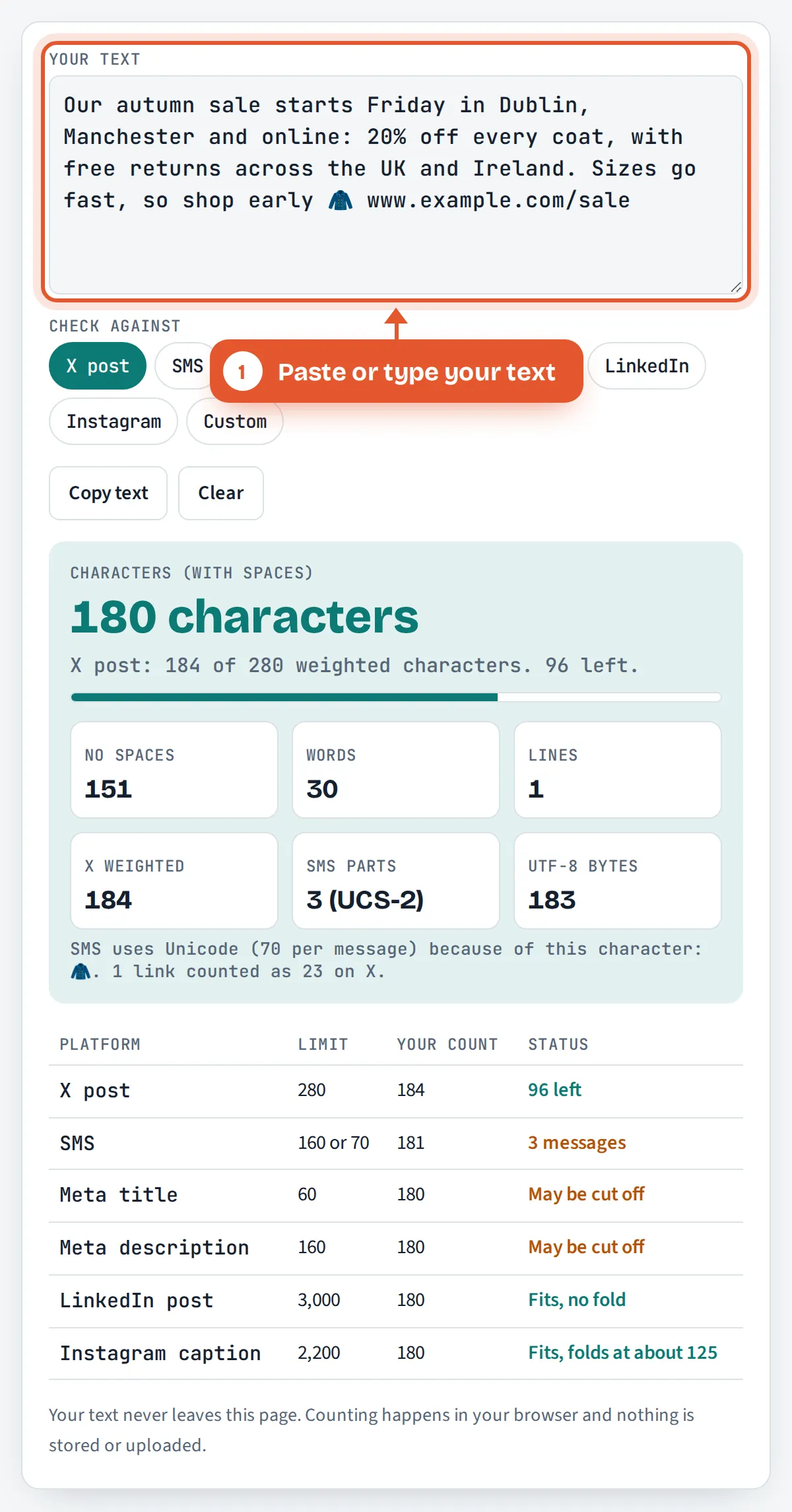
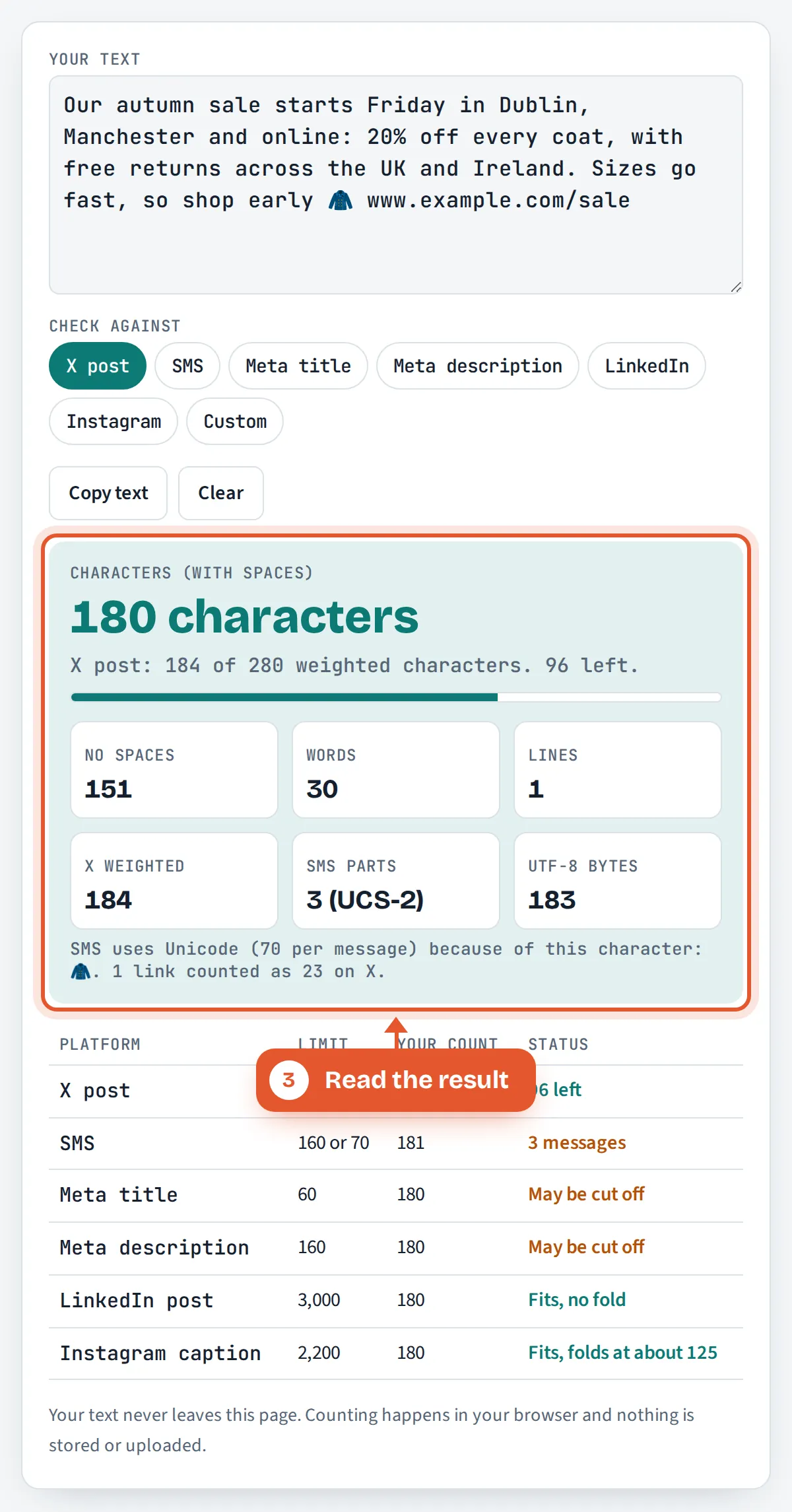
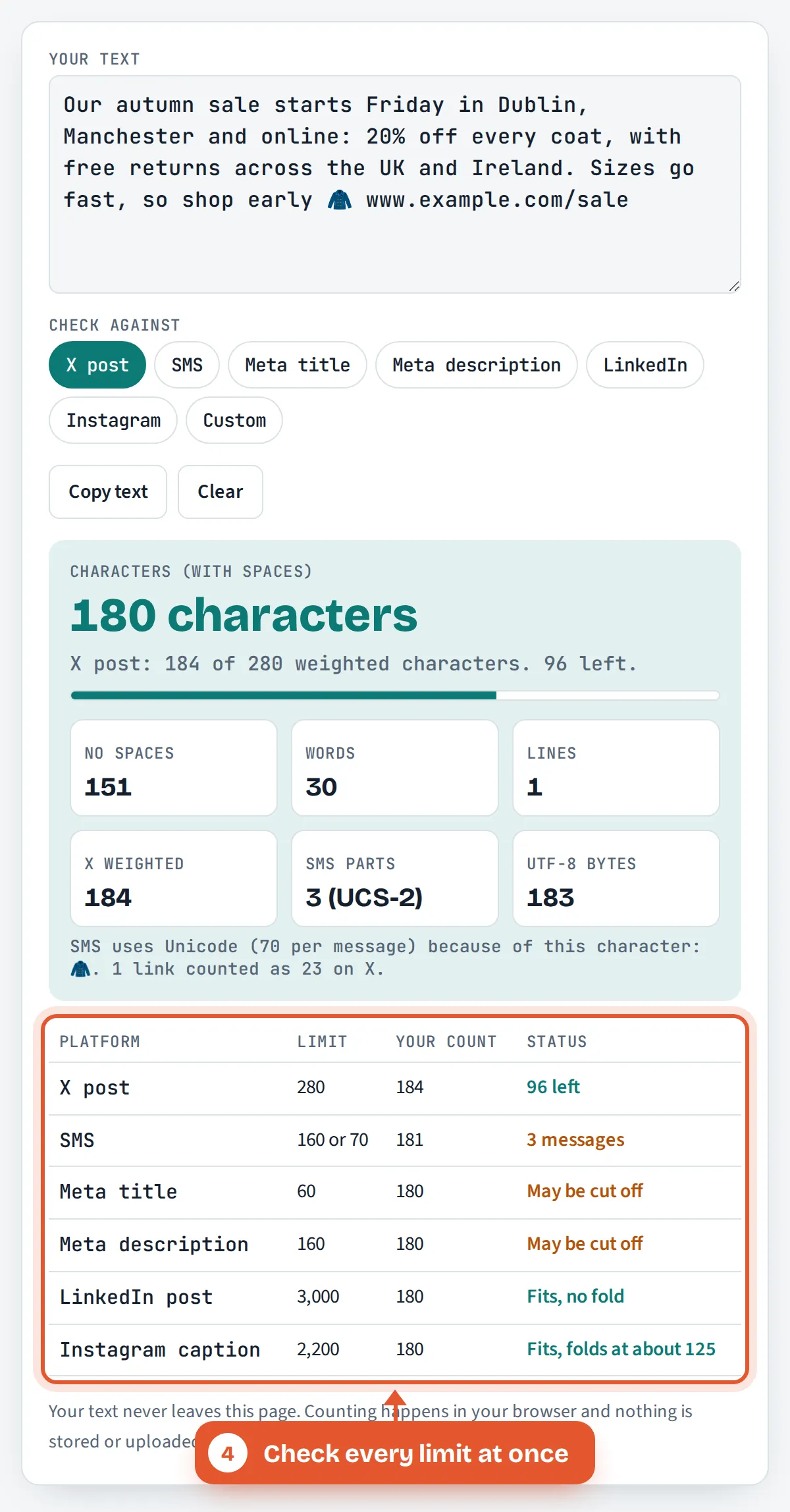
Aoife runs a clothing shop with branches in Dublin and Manchester. Her promo, the default text above, is 180 characters including spaces and 151 without. On X it weighs 184: the coat emoji counts 2 and the 20 character link counts 23, so it fits with 96 to spare. As an SMS the emoji forces Unicode, so 181 units become 3 messages; removing the emoji brings it back to GSM at 2 messages, saving one part per customer on every send. On LinkedIn and Instagram it fits easily, but it passes Instagram’s fold at about 125 characters, so the offer should come first, as it does here.
How Do You Use the Character Counter?
Paste or type your text
Put your post, message, title or description into the text box. Counts update instantly as you type or edit.

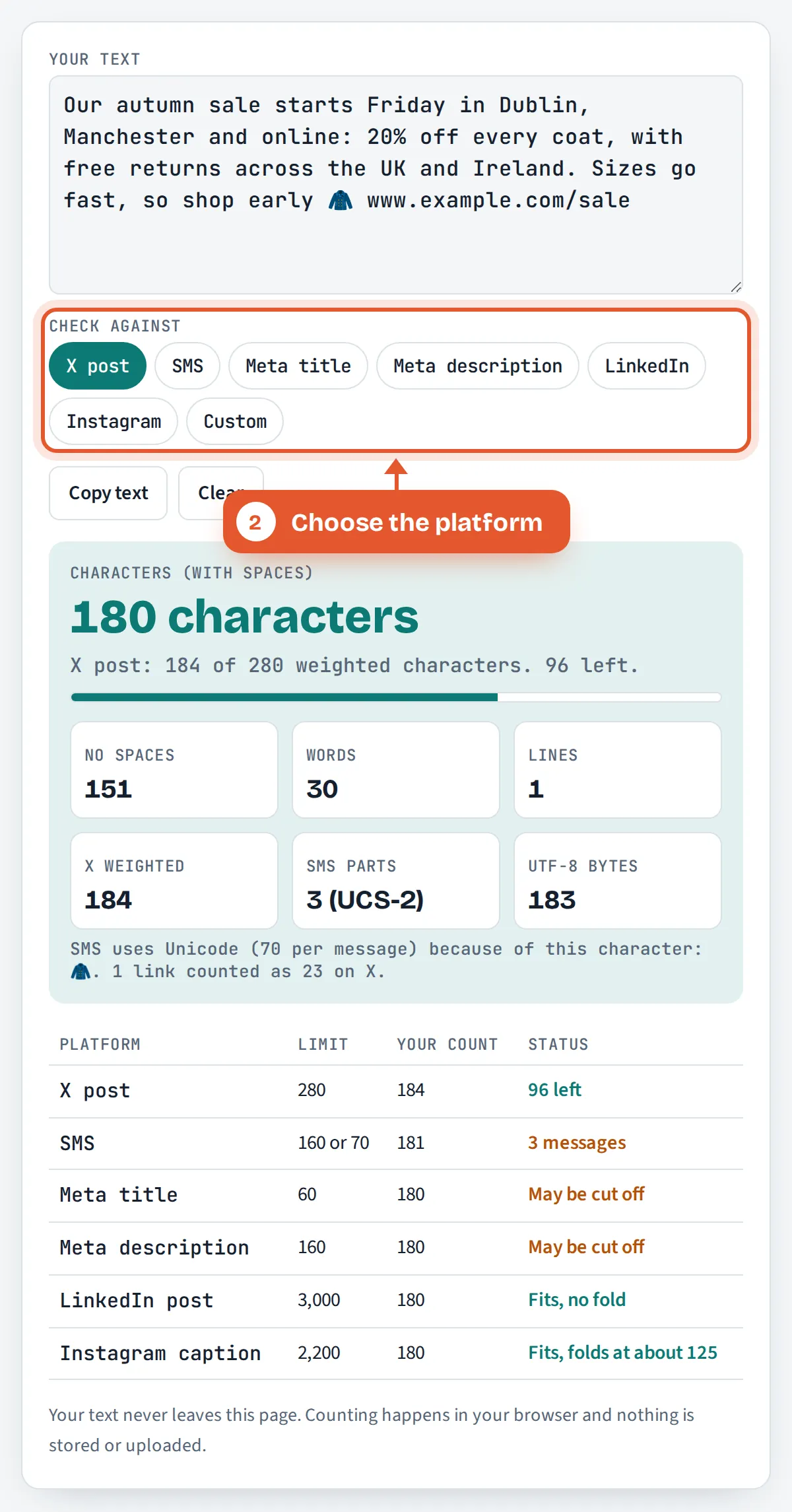
Choose the platform
Tap X post, SMS, Meta title, Meta description, LinkedIn, Instagram or Custom to set which limit the progress bar tracks.
Read the result
The large figure is your character count. Below it you see how much room is left, plus words, lines, X weight, SMS parts and bytes.
Check every limit at once
The table shows whether the same text fits each platform, with a clear status, so you can trim once and post everywhere.
Frequently Asked Questions
Do spaces count as characters?
Yes. Spaces, line breaks and punctuation all count as characters on X, SMS, LinkedIn, Instagram and in search results. The counter shows the total with spaces as the main figure and the total without spaces underneath for forms and briefs that ask for it.
How many characters are in a tweet?
An X post can hold up to 280 weighted characters. Most Latin letters, digits and punctuation count as 1, while emoji and Chinese, Japanese or Korean characters count as 2, and every link counts as 23 however long it is.
Why does my SMS show only 70 characters?
Your message contains at least one character outside the GSM 7-bit alphabet, such as an emoji, a curly quote or a letter like á or ł, so it is sent as Unicode. Unicode messages hold 70 characters, or 67 per part when split.
Does the euro sign take two characters in an SMS?
Yes. The € sign is in the GSM extension table, so it uses two of the 160 slots without forcing Unicode. The same applies to ^ { } [ ] ~ | and the backslash. The pound sign £ uses just one slot.
What is the character limit for a LinkedIn post?
A LinkedIn post can contain up to 3,000 characters. Only about the first 210 show on desktop before the “see more” link, and fewer on mobile, so put the point of the post in the opening line or two.
Is my text saved or sent anywhere?
No. The counter runs entirely in your web browser using JavaScript on this page. Your text is never uploaded, stored or logged, so it is safe to check drafts, client copy or private messages before you send them.
Sources and Further Reading
- GSM 03.38 character set and SMS lengths, Wikipedia
- String length and UTF-16 code units, MDN Web Docs
- Unicode Text Segmentation (UAX #29), Unicode Consortium
Related Tools
Last reviewed: October 2026