Type a title, description and URL to see an approximate Google result for desktop and mobile, with the text cut where it would likely run out of space and tips to fix it.
Runs in your browser. Nothing you type is sent anywhere. Google may rewrite titles and snippets, so this is a preview, not a promise.
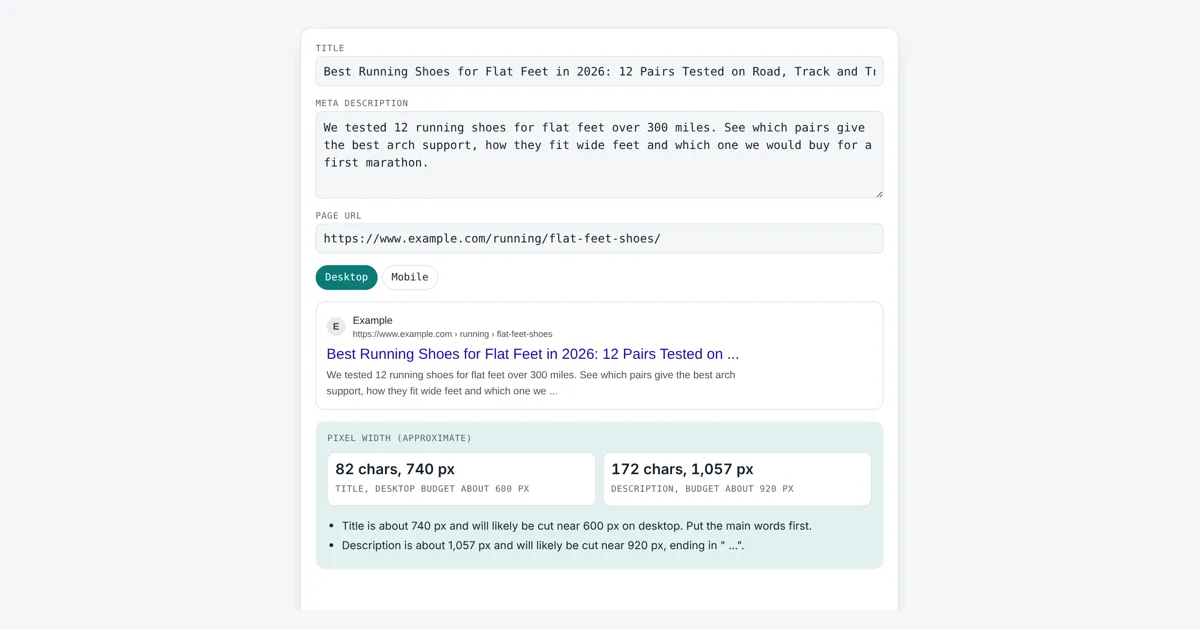
This serp snippet preview is for writers, SEOs and site owners who want to check how a page could look in Google before they publish. It measures your text in pixels with the browser’s canvas measureText function in Arial, the font Google uses for results, then cuts it with ” …” where it would likely stop. A SERP is a search engine results page, and the snippet is the description text under the title link.
How Does a SERP Snippet Preview Work?
A SERP snippet preview measures your title and description in pixels and cuts them where Google would likely run out of room. For example, an 82 character title in 20 px Arial is about 740 px wide, past the rough 600 px desktop limit, so the preview ends it after “12 Pairs Tested on …”.
Why Does Google Cut Off Titles by Pixels, Not Characters?
Google cuts titles and snippets to fit the width of the device screen, so the limit is set in pixels, and the number of characters that fit changes with the letters you use.
Google Search Central says there is no limit on how long a title element or a meta description can be, but that text is truncated in results as needed to fit the device width. A capital W in 20 px Arial is about 19 px wide while a lower case i is about 4 px, so “WWWW” takes far more room than “iiii”. That is why a fixed rule such as 60 characters is only a rough guide. The table shows the approximate budgets this tool uses. They are estimates from typical layouts, not official numbers.
| Part | Font | Desktop budget | Mobile budget |
|---|---|---|---|
| Title link | 20 px Arial | about 600 px, 1 line | about 660 px, 2 lines |
| Description | 14 px Arial | about 920 px, 2 lines | about 680 px, 2 to 3 lines |
| URL breadcrumb | 12 px Arial | shortened with … | shortened with … |
Will Google Show My Exact Title and Description?
Not always, because Google may rewrite titles and pick a different snippet when it thinks other text describes the page better for a given search.
Google builds a title link from several sources, such as the title element, the main visible heading, anchor text and other text on the page. It is more likely to change titles that are very long, stuffed with keywords, the same on many pages or do not match the content. For the snippet, Google mostly uses text from the page and uses the meta description when it describes the page well. A preview shows the best case, not a guarantee. Use the character counter for exact counts, and keep the core words in the first 50 or so characters so they survive any cut.
How Do I Write a Better SERP Snippet?
Write a unique, specific title that starts with the main topic, and a description of one or two full sentences that says what the reader gets on the page.
Numbers, a clear benefit and plain words help. Avoid repeating the same keyword many times, which Google treats as keyword stuffing. Use title case or sentence case consistently; the case converter can fix a title typed in capitals. Check both devices, because a line that fits on desktop may wrap on a phone.
Worked Example
A running blog previews the title “Best Running Shoes for Flat Feet in 2026: 12 Pairs Tested on Road, Track and Trail”. It is 82 characters and about 740 px, so on desktop the preview cuts it to Best Running Shoes for Flat Feet in 2026: 12 Pairs Tested on …. On mobile, with about 660 px over two lines, it becomes “Best Running Shoes for Flat Feet in 2026: 12 Pairs Tested on Road, …”.
The 172 character description is about 1,057 px, past the 920 px desktop budget, so it ends in ” …”. Shortening the title to “Best Running Shoes for Flat Feet: 12 Pairs Tested” (49 characters, about 445 px) makes it fit in full.
How Do You Use the SERP Snippet Preview?
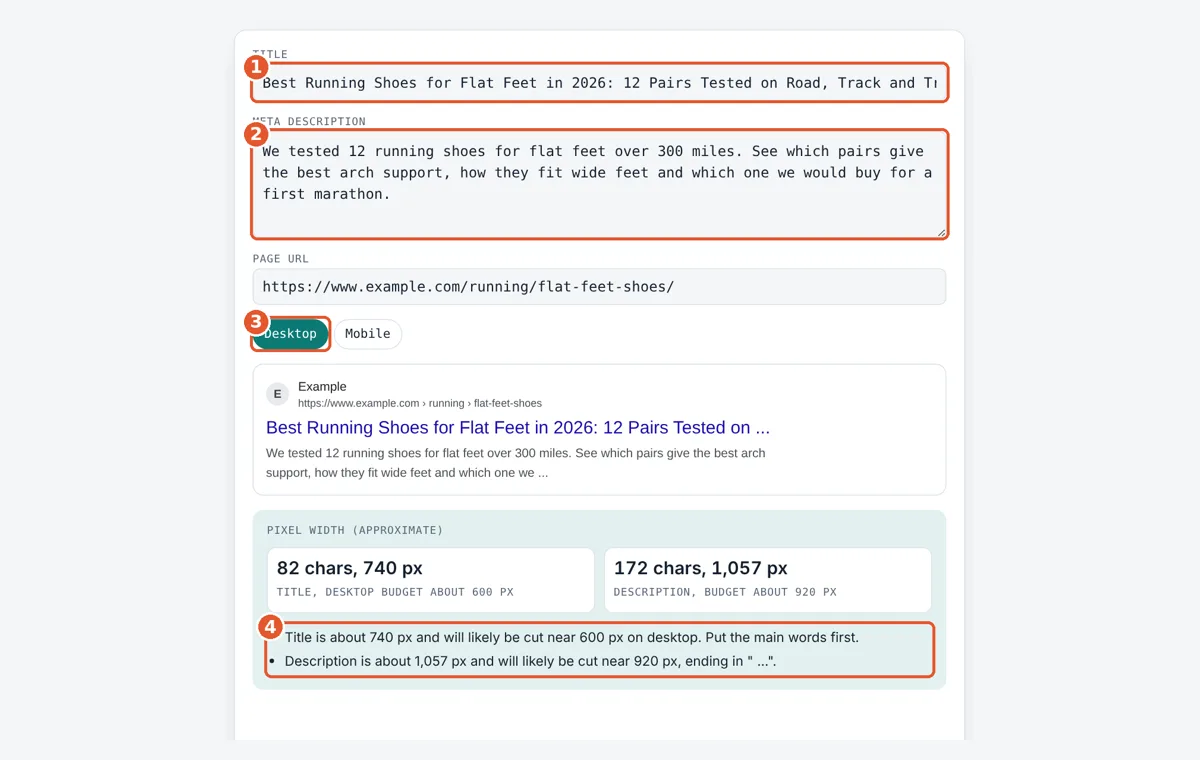
Enter the title
Type or paste the page title. The preview updates as you type.
Add the description
Paste the meta description you plan to use for the page.
Pick desktop or mobile
Switch devices to see where each line would likely be cut.
Read the warnings
Check the pixel widths and tips, then edit until both lines fit.
Frequently Asked Questions
How many characters fit in a Google title?
Usually about 50 to 60 characters fit on desktop, because the space is roughly 600 px at 20 px Arial. Narrow letters let you fit more and wide capitals fewer. Google sets no official character limit for titles.
What is the ideal meta description length?
There is no ideal length in Google's documentation. Descriptions are cut by pixel width, which is about 920 px on desktop, or roughly 150 to 160 characters. Write enough to summarise the page, and put the key point first.
Why is my title shown with my site name added?
Google often adds the site name to the title link, or shows it above the URL, when it helps people see where a result comes from. You can suggest your preferred site name with WebSite structured data on the home page.
Does a cut off title hurt rankings?
No. Truncation is a display issue, not a ranking factor. A cut title may get fewer clicks if the key words are hidden, so place the most important words at the start where they will always show.
Is this exactly what Google will show?
No. It is a close estimate based on Arial pixel widths and typical layouts. Google changes its design, adds features such as dates, images and ratings, and may rewrite the title or snippet for each search.
Can I stop Google from showing a snippet?
Yes. Add a robots meta tag with nosnippet to hide the text snippet, or max-snippet:50 to limit it to 50 characters. Hiding the snippet often makes a result less useful to searchers, so use it with care.
Sources and Further Reading
- Google Search Central: Influencing your title links
- Google Search Central: Control your snippets in search results
- MDN Web Docs: canvas measureText() method
Related Tools
Last reviewed: October 2026