Type or paste text and get it in Unicode bold you can copy and paste into bios, posts and comments where there is no bold button. Six bold styles, accented letters, bold Greek and a screen reader preview, so you know exactly what your readers get.
Accessibility: these are maths symbols that look like bold letters, not real bold. Screen readers may skip them or read each one out by its symbol name, and search inside apps may not find the words. Bold a word or two, never a whole post.
Conversion happens in your browser. Nothing you type is uploaded or stored.
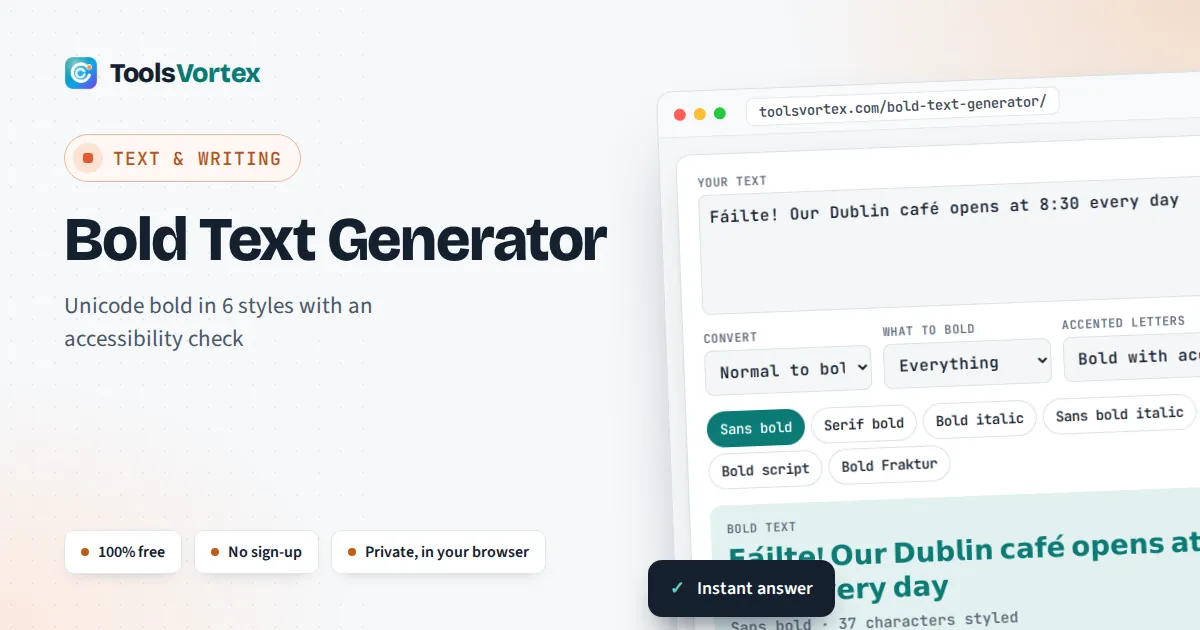
This bold text generator converts ordinary letters and numbers into bold look-alike characters for anyone writing a social media bio, a post, a comment or a display name in an app that offers no formatting. It also tells you what the generators at the top of search results leave out: how many characters the bold version really uses, which letters cannot be made bold, and what a screen reader user may hear instead of your words.
How Does a Bold Text Generator Work?
It swaps each letter for a look-alike character from the Mathematical Alphanumeric Symbols block (U+1D400 to U+1D7FF), added in Unicode 3.1 in 2001. Because these are characters, not a font, the bold survives copy and paste into bios and posts. Bold capital A, for example, is U+1D400.
Which Unicode Characters Make Text Look Bold?
The characters come from the Mathematical Alphanumeric Symbols block, which exists so that mathematicians can give letters in different styles fixed, separate meanings. Each style is a run of 26 capitals, then 26 small letters, so the generator finds every letter with simple arithmetic:
Serif bold small h = U+1D41A + 7 = U+1D421
Bold digit 9 = U+1D7CE + 9 = U+1D7D7
| Style | Capital A | Small a | Digits 0 to 9 | Greek |
|---|---|---|---|---|
| Serif bold | U+1D400 | U+1D41A | U+1D7CE | Yes |
| Sans bold | U+1D5D4 | U+1D5EE | U+1D7EC | Yes |
| Bold italic | U+1D468 | U+1D482 | Serif bold digits | Yes |
| Sans bold italic | U+1D63C | U+1D656 | Sans bold digits | Yes |
| Bold script | U+1D4D0 | U+1D4EA | Serif bold digits | No |
| Bold Fraktur | U+1D56C | U+1D586 | Serif bold digits | No |
Every start point and character name above was checked against the Unicode Character Database. The bold styles are complete, unlike plain italic, script and Fraktur, which have gaps filled by older characters such as the italic small h at U+210E, as the Wikipedia article on the block lists. There is no bold for punctuation, so commas, colons, hashtags and emoji stay as they are.
Is Unicode Bold Text Accessible to Screen Reader Users?
Not reliably, so use it sparingly. The Massachusetts government guide to social media post accessibility warns that these characters “may visually appear like typical numbers or letters” but “do not get interpreted in the same way or may be skipped entirely by assistive technology such as a screen reader”. Unicode itself recommends that they are not used in general text in place of formatting, and the same characters are used in email spam to slip past filters.
The tool shows the official Unicode names of the first few bold characters, because that is the kind of description some screen readers read out, letter by letter. Keep names, hashtags, links and key facts in plain text, and bold only one short phrase. Choose “Only *starred* words”, wrap that phrase in asterisks and the rest of the post stays fully readable.
Why Do Accented Letters Like é, ü and á Not Turn Bold?
Unicode has no bold versions of accented letters, so a generator either leaves them plain or builds them from two characters. With “Bold with accent”, this tool uses a bold base letter followed by a combining accent: é becomes bold e plus U+0301. That keeps French, German, Spanish and Irish words readable. Where the accent lands depends on the font, so check the preview before you post. Letters with no separate base, such as ß, ø, æ and ł, have no bold form and stay plain. The “Left plain” box counts them, so you can spot a half bold word like Søren before you post it.
Worked example: a Dublin café post
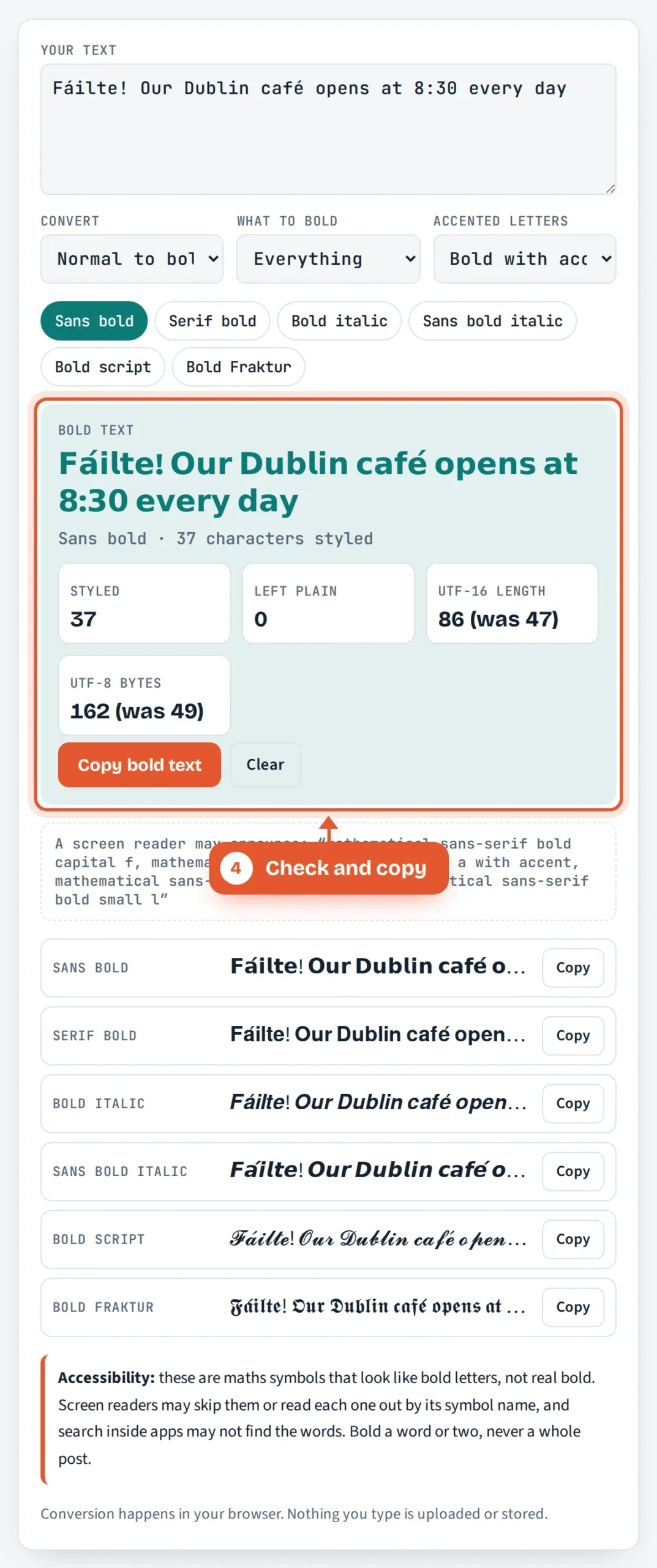
Type “Fáilte! Our Dublin café opens at 8:30 every day” and choose Sans bold. All 37 letters and digits become bold, including the á in Fáilte and the é in café, and nothing is left plain. The text looks the same length, but it now takes 86 UTF-16 code units instead of 47 and 162 bytes instead of 49. That is why a bold bio can hit a character limit much sooner than the plain version.
Why Does Bold Text Use More Characters?
Each bold letter lives outside Unicode’s Basic Multilingual Plane, so it takes 2 UTF-16 code units and 4 bytes in UTF-8, against 1 unit and 1 byte for a plain English letter. Apps that count characters in UTF-16, as JavaScript does, see every bold letter as two. If a field rejects your text as too long, bold fewer words or check the plain version first with our word counter. A combined accented letter adds one more unit for the accent.
How Do You Turn Bold Unicode Text Back Into Normal Text?
Choose “Bold back to normal” and paste the styled text. The tool applies Unicode compatibility normalisation (NFKC) to every character from the maths and letterlike blocks, which maps each bold, italic, script or Fraktur letter to its plain twin and joins combining accents back into single letters. This is the quickest fix when you inherit a bio or document full of fancy letters that a screen reader, a search box or a spreadsheet cannot handle. For capitals and small letters in normal text, our case converter is the better tool.
When Should You Use Real Bold Instead?
Use real formatting whenever the app offers it. Word processors, email, most chat apps and every web page can make text bold with styling, and that keeps the letters as normal characters that screen readers, translation tools and search all understand. Unicode bold is for the places that offer only plain text, such as some profile names, bios and comment boxes, and even there a single bold word does the job.
How Do You Use the Bold Text Generator?
Type or paste your text
Enter a word, a line or a whole post. The bold version updates as you type.

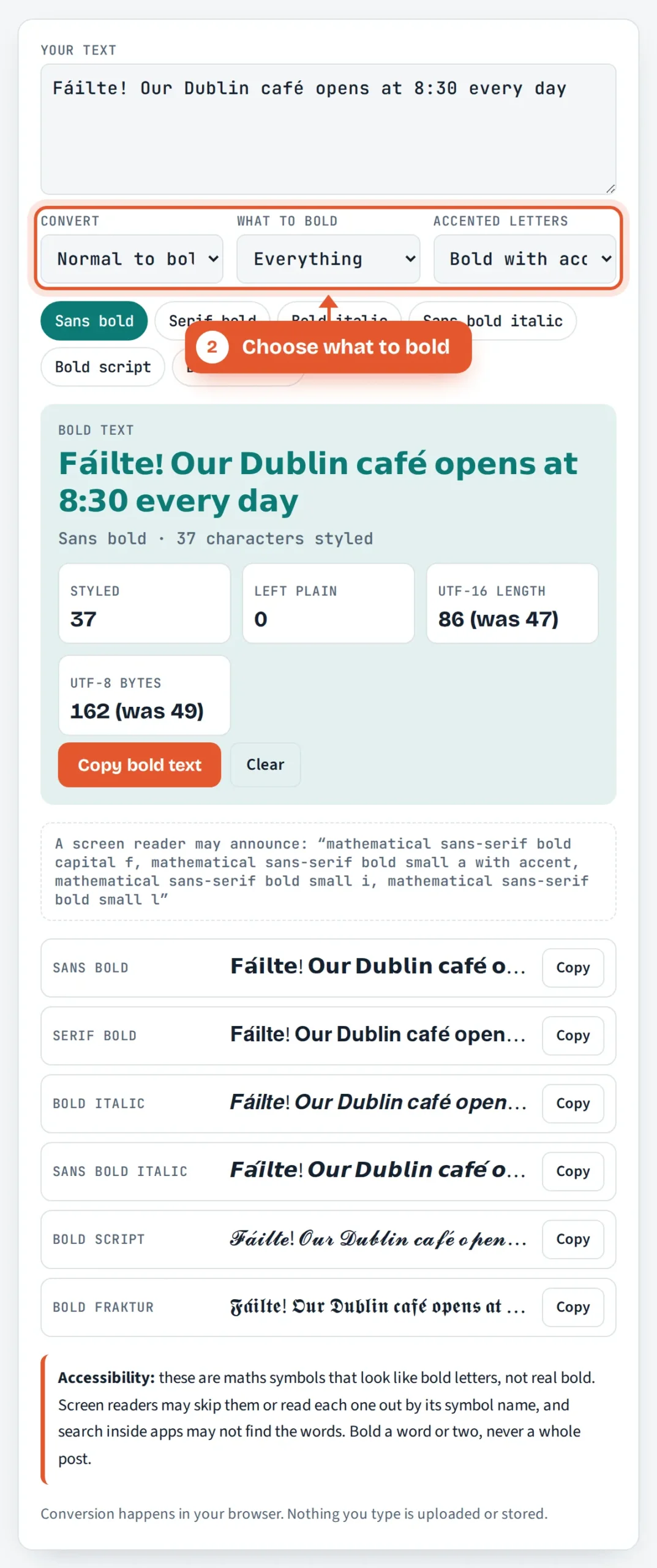
Choose what to bold
Bold everything, or pick “Only *starred* words” and wrap the phrase you want in asterisks. Decide how accented letters are handled.
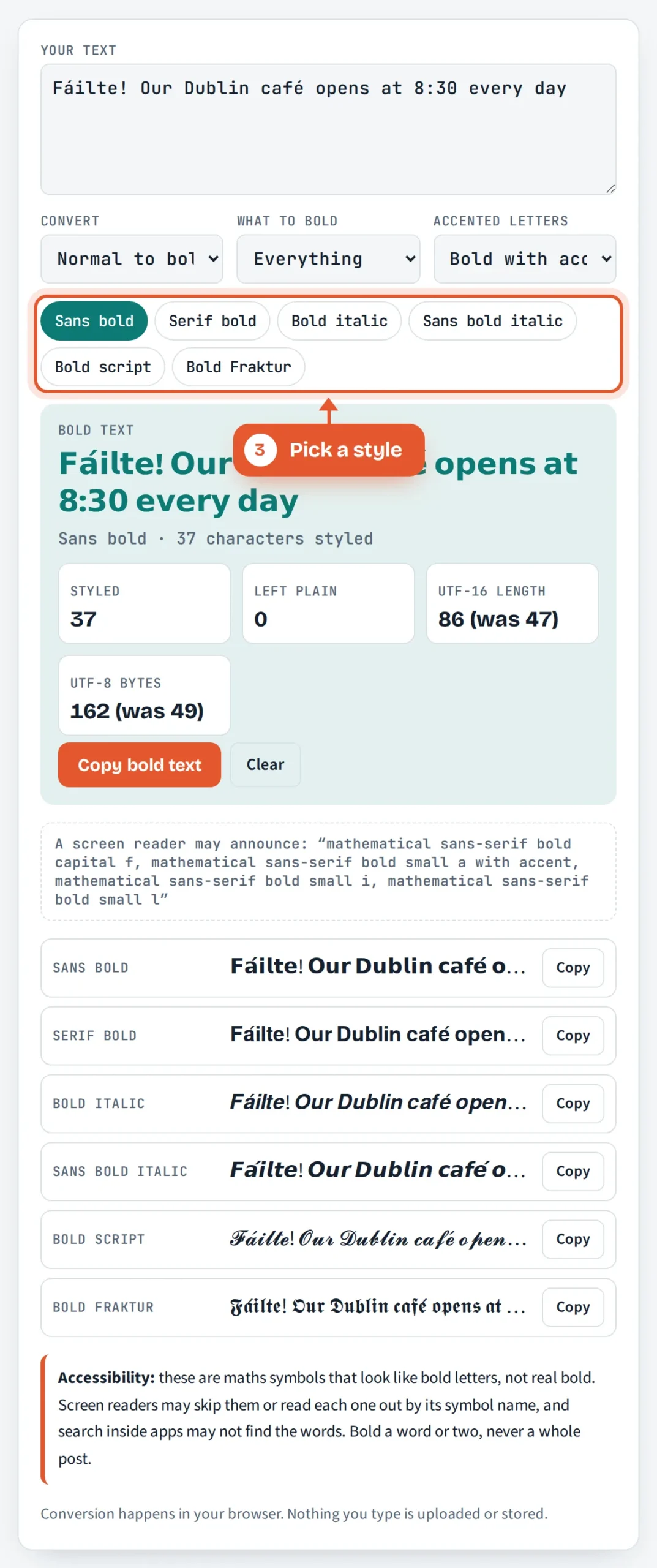
Pick a style
Tap Sans bold, Serif bold, Bold italic, Sans bold italic, Bold script or Bold Fraktur. Every style is also previewed below the result.
Check and copy
Read the character counts and the screen reader preview, then tap Copy bold text and paste it where you need it.

Frequently Asked Questions
How do I copy and paste bold text?
Type your text, choose a style and tap Copy bold text, or tap Copy next to any style in the list. Then paste it into your bio, post or message as normal. The bold travels with the text because each letter is a separate Unicode character, not formatting.
Is bold text from a generator bad for accessibility?
It can be. Screen readers may skip the characters or read out symbol names instead of your words, and app search may not find them. Use Unicode bold for one short phrase, keep names, hashtags and important details in plain text, and use real bold wherever the app offers it.
Why do some bold letters show as boxes?
A box or question mark means the device showing the text has no font that contains that character. You cannot fix that on the reader’s side, so try a different style, check how it looks on another phone or computer, or keep that part of the text plain.
Can I make accented letters bold?
Yes, partly. Unicode has no bold é or ü, so the tool uses a bold base letter plus a combining accent, and the accent position depends on the font, so check the preview. Letters such as ß, ø, æ and ł have no bold version at all and stay plain, and the tool counts them for you.
Why is my bold text over the character limit?
Each bold letter counts as 2 UTF-16 code units, the measure many apps use, so a 40 letter bold name can count as 80. Bold fewer words, or bold only a key phrase with the starred words option, and watch the UTF-16 length box as you type.
Is this bold text generator free and private?
Yes. It is free with no sign up, and the conversion runs entirely in your browser, so the text you type is never uploaded to ToolsVortex or anywhere else. It also works offline once the page has loaded, and it can convert bold text back to normal.
Sources and Further Reading
Related Tools
Last reviewed: October 2026