Soften a whole picture with one slider, or drag a box over a face, number plate, address or screen to blur or pixelate just that part, then download the result.
Runs in your browser. Your image is never uploaded to a server.
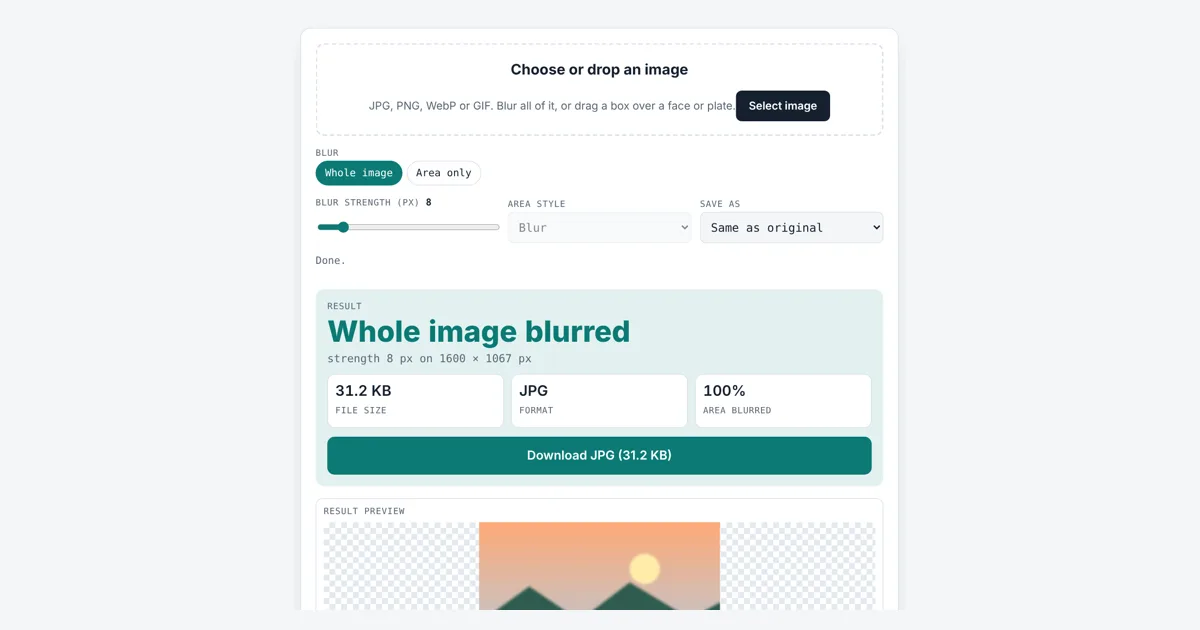
This tool helps you blur image files, either the whole picture for a soft background, or one box to hide private details before you post or send it. It is for parents, sellers, journalists and anyone sharing screenshots. You get a copy with the blur baked into the pixels, and the area size and position shown in pixels.
How Do I Blur Part of an Image?
Load the image, tap Area only, then drag a box over the face or plate, or type X, Y, width and height. With strength 8 the tool blurred a 640 × 427 px box at x 480, y 320 on our 1600 × 1067 photo, 16% of the picture, and left every other pixel unchanged.
How Does the Blur Image Tool Work?
The tool replaces each pixel with a weighted average of the pixels around it, so sharp edges spread out and fine detail disappears.
The weights follow a bell curve, which is called a Gaussian blur. The strength slider sets the curve’s standard deviation (sigma) in pixels: most of each average comes from pixels within about 3 × sigma. To stay fast on phones, the tool runs three quick box blur passes across and three down, a well known way to get very close to a true Gaussian. Compared with a reference Gaussian blur made in Python at sigma 8, our result differed by 0.03 of a color level on average, out of 255.
3 box passes with widths chosen so their combined spread equals sigma
sigma 8 → box widths 15, 15 and 17 px
Is Blurring Enough to Hide a Face or Number Plate?
A light blur is often not enough, so use a strong blur or pixelation, and for anything truly sensitive, cover it with a solid box instead.
Researchers from Cornell Tech and the University of Texas at Austin showed in 2016 that machine learning could still recognise many faces and digits after light blurring or pixelation. A large strength hides more, because more pixels are mixed together. The table shows how the main settings compare on our 1600 × 1067 test photo:
| Setting | What it does | Good for |
|---|---|---|
| Strength 2 to 4 px | Gentle softening | Background or dreamy look |
| Strength 8 px | Clear blur, shapes still visible | Busy backgrounds, crowds |
| Strength 20 px or more | Shapes mostly lost | Faces in a group photo |
| Pixelate, strength 8 | 12 px square blocks | Number plates, house numbers |
| Pixelate, strength 20 to 60 | 30 to 90 px blocks | Text on screens and letters |
Pixelate uses blocks 1.5 times the strength, rounded. Only the box changes; every pixel outside it is left exactly as it was.
Should I Blur Faces Before Posting Photos Online?
It is wise to blur the faces of children and bystanders, and car plates and house numbers, when a photo will be public and they have not agreed to it.
Under the UK GDPR and EU GDPR, a photo of a person who can be identified is personal data, so organisations posting such photos need a lawful reason. Private people sharing family snaps are usually outside these rules, but blurring is a simple courtesy. This is general information, not legal advice.
Before sharing, you can also cut away parts you do not need with the crop image tool, and shrink the file for messaging with the image compressor.
Does a Blurred Image Keep Hidden Details in the File?
No, this tool redraws the pixels themselves, so the original detail inside the box is not stored anywhere in the new file.
That is different from some apps that add a blur layer you can turn off later. The new file also leaves out EXIF camera data such as GPS location, which can reveal where a photo was taken.
Worked Example
We loaded a 1600 × 1067 landscape photo. On Whole image with the default strength of 8 px the whole picture softened, and the JPG came out at 31.2 KB. Raising the strength to 20 gave 34.4 KB. On Area only, the tool started with a box in the middle at x 480, y 320, 640 × 427 px, which is 16% of the photo. Saved as PNG, a pixel check showed that not one pixel outside the box changed. Switching Area style to Pixelate made 12 px blocks. Moving the box to x 1500 with width 400 clipped it to 100 px at the right edge, 2.5% of the photo.
How Do You Use the Blur Image?
Choose your image
Tap the drop area and pick a JPG, PNG, WebP or GIF, or drag a file in.
Pick whole or area
Tap Whole image, or Area only and drag a box over the part to hide.
Set the strength
Move the slider. Higher numbers blur more or make larger pixel blocks.
Download the image
Check the preview and area size, then tap Download.

Frequently Asked Questions
What blur strength hides a face?
For a face that fills a small part of the photo, 20 px or more usually hides features well. For large close-up faces, use a higher strength, pixelation or a solid cover, since a light blur can still be recognised.
Can someone unblur my image?
The tool rewrites the pixels, so the original detail is not in the file. But research has shown software can sometimes guess faces or numbers from light blur. Use strong settings for anything sensitive, or cover it fully.
What is the difference between blur and pixelate?
Blur mixes each pixel with its neighbours along a smooth bell curve. Pixelate splits the area into square blocks and fills each with one average color. With strength 8, pixelate uses 12 px blocks.
How do I blur more than one area?
Blur the first area and download it, then load the downloaded file and blur the next area. Each pass keeps earlier changes. Save as PNG between passes to avoid extra JPG compression.
Why is the blur slow on big photos?
Each pixel is averaged with many neighbours, three times across and three times down. A 10.7 megapixel photo took about 5 seconds in our test. Photos over 16 megapixels should be resized first.
Is my photo uploaded when I blur it?
No. All the blurring runs in your browser with JavaScript and the canvas. The photo stays on your device, which matters when you are hiding private details.
Sources and Further Reading
- MDN Web Docs: CanvasRenderingContext2D getImageData() method
- arXiv: McPherson, Shokri and Shmatikov, Defeating Image Obfuscation with Deep Learning (2016)
- ICO: UK GDPR guidance and resources
- Wikipedia: Gaussian blur
Related Tools
Last reviewed: October 2026