Upload a photo and turn it into grayscale, pure two tone black and white, or warm sepia, then download it as PNG or JPG. Everything happens on your device.
Runs in your browser. Your image is never uploaded to a server.
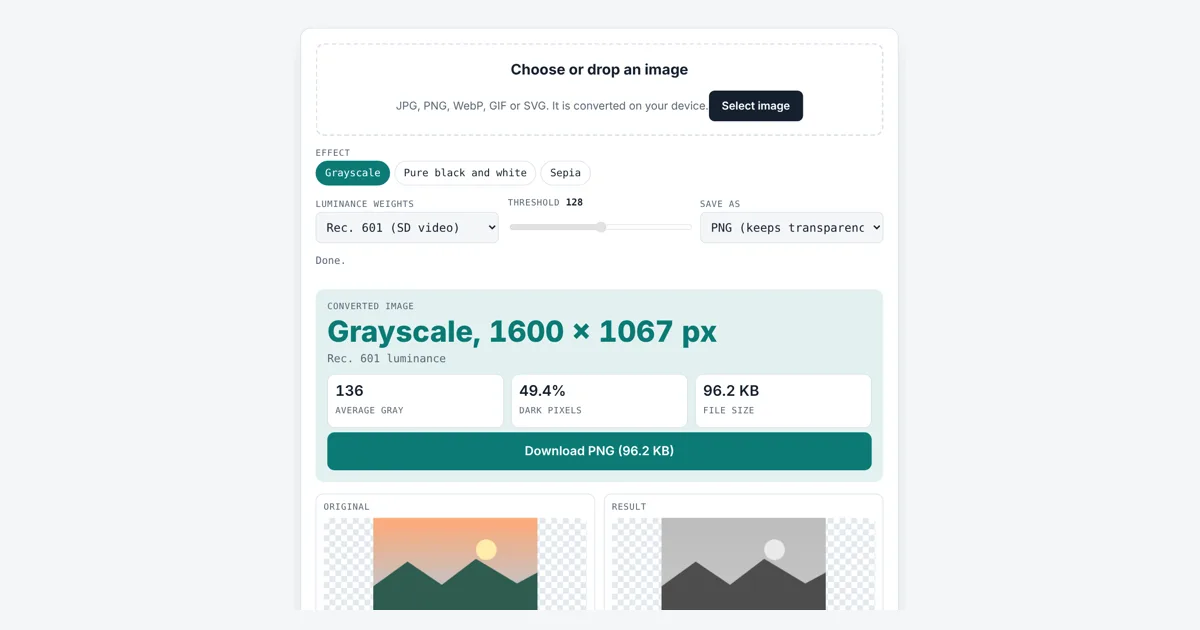
This black and white image converter is for photographers, designers, students and anyone preparing a picture for print, a stencil or a vintage look. You pick grayscale, a threshold black and white, or sepia, choose how colors map to gray, and download the result at full size.
How Do You Turn a Photo Into a Black and White Image?
Each pixel becomes a gray level from a weighted sum of its red, green and blue values. With Rec. 601 weights, gray = 0.299R + 0.587G + 0.114B, so pure red (255, 0, 0) becomes 76. For pure black and white, any gray below the threshold, such as 128, turns black and the rest white.
What Is the Difference Between Grayscale and Black and White?
A grayscale image keeps 256 shades from black to white, while a pure black and white image, also called a bitmap or 1-bit image, has only two colors. Grayscale suits photos; two tone suits stencils, logos, laser engraving and scanned text.
Rec. 709: gray = 0.2126 R + 0.7152 G + 0.0722 B
Threshold: pixel = gray < T ? black : white
Why Are Green and Red Weighted Differently in Grayscale?
Green gets the most weight because human eyes are most sensitive to green light, so a green pixel looks brighter than a blue pixel of the same strength. The weights estimate luminance, the brightness we see. ITU-R BT.601 sets the classic standard definition weights; ITU-R BT.709 sets the HD weights, which give green even more pull. A simple average treats all three the same, which makes blue skies look too light.
| Color (R, G, B) | Rec. 601 gray | Rec. 709 gray | At threshold 128 |
|---|---|---|---|
| Red (255, 0, 0) | 76 | 54 | Black |
| Green (0, 255, 0) | 150 | 182 | White |
| Blue (0, 0, 255) | 29 | 18 | Black |
| Yellow (255, 255, 0) | 226 | 237 | White |
| Mid gray (128, 128, 128) | 128 | 128 | White |
| Sky blue (0, 120, 255) | 100 | 104 | Black |
How Does a Sepia Filter Work?
A sepia filter mixes each pixel’s red, green and blue into warm brown tones with a fixed color matrix. This tool uses the same matrix the W3C Filter Effects specification gives for the CSS sepia() function: new red = 0.393R + 0.769G + 0.189B, with similar rows for green and blue, capped at 255.
Which Threshold Should I Use for Black and White?
Start at 128, the middle of the 0 to 255 range, then move the slider while watching the preview. Lower values make more of the picture white and keep only the darkest lines; higher values fill in more black. Dark photos often look best near 90 to 110. To trim the frame first, use the crop image tool, and to shrink the saved file, run it through the image compressor.
Worked Example
We loaded a 400 × 300 PNG filled with a see-through sky blue, color (0, 119, 255) as the browser reads it. In Grayscale with Rec. 601 weights the tool shows an average gray of 99. Switching to Pure black and white at threshold 128 gives 100% dark pixels, because 99 is below 128. Dragging the threshold down to 90 flips it to 0%, an all white image, and the transparency is kept in the PNG. With Rec. 709 weights the same color reads 104, a touch lighter.
How Do You Use the Black and White Image Converter?
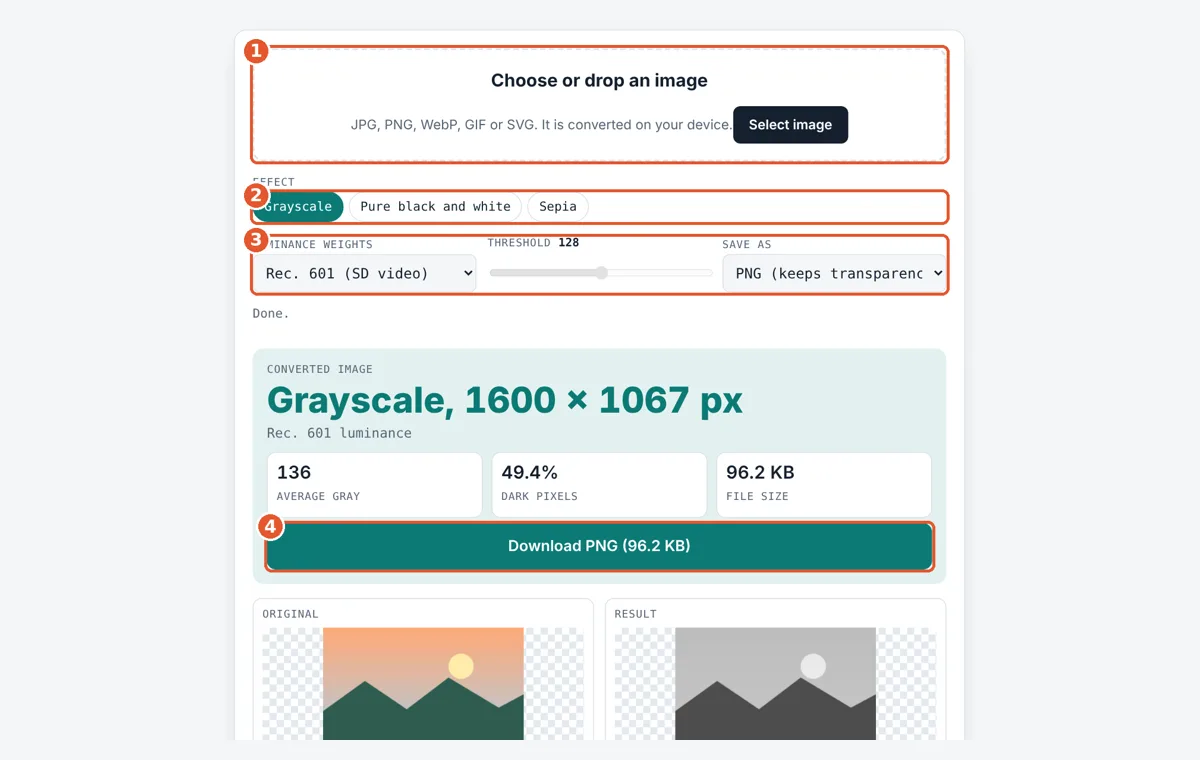
Choose an image
Tap the box or drop a JPG, PNG, WebP, GIF or SVG file onto it.
Pick an effect
Choose Grayscale, Pure black and white, or Sepia.
Tune the settings
Pick luminance weights, move the threshold slider for black and white, and choose PNG or JPG.
Download
Check the preview next to the original, then tap Download.
Frequently Asked Questions
Does converting to black and white reduce file size?
Often, but not always. A grayscale JPG is usually a bit smaller than the color one. A PNG of a photo can be larger than the original JPG because PNG is lossless. Choose JPG in Save as for the smallest photo files.
Can I turn a black and white photo back into color?
No. Converting throws away the color information and keeps only brightness, so the original colors cannot be recovered from the result. Keep your original file. Colorizing tools only guess colors, they do not restore them.
Is my transparent PNG background kept?
Yes, when you save as PNG the alpha channel is copied unchanged, so transparent areas stay transparent. Saving as JPG fills transparent areas with white, because the JPG format has no transparency.
Which luminance weights should I pick?
Rec. 601 is a good default and matches many photo apps. Rec. 709 is the HD video standard and makes greens lighter and reds darker. Simple average is rarely best, but it can suit flat graphics.
Why does my black and white result look blotchy?
A single threshold cannot show soft shading, so gradients break into hard edges. Try moving the threshold 10 to 30 steps either way, or use grayscale instead. Photos with strong contrast and clear outlines convert best.
Is there a limit on image size?
Files up to 40 MB are accepted. Images wider or taller than 4,096 pixels are scaled down to fit 4,096 on the longest side so phones do not run out of memory. Smaller images keep their exact size.
Sources and Further Reading
- ITU-R Recommendation BT.601: Studio encoding parameters of digital television
- ITU-R Recommendation BT.709: Parameter values for HDTV
- W3C Filter Effects Module Level 1
Related Tools
Last reviewed: October 2026