Type your name, brand or website, place it in a corner or tile it across the picture, set how see-through it is, and download the watermarked photo in seconds.
Runs in your browser. Your image is never uploaded to a server.
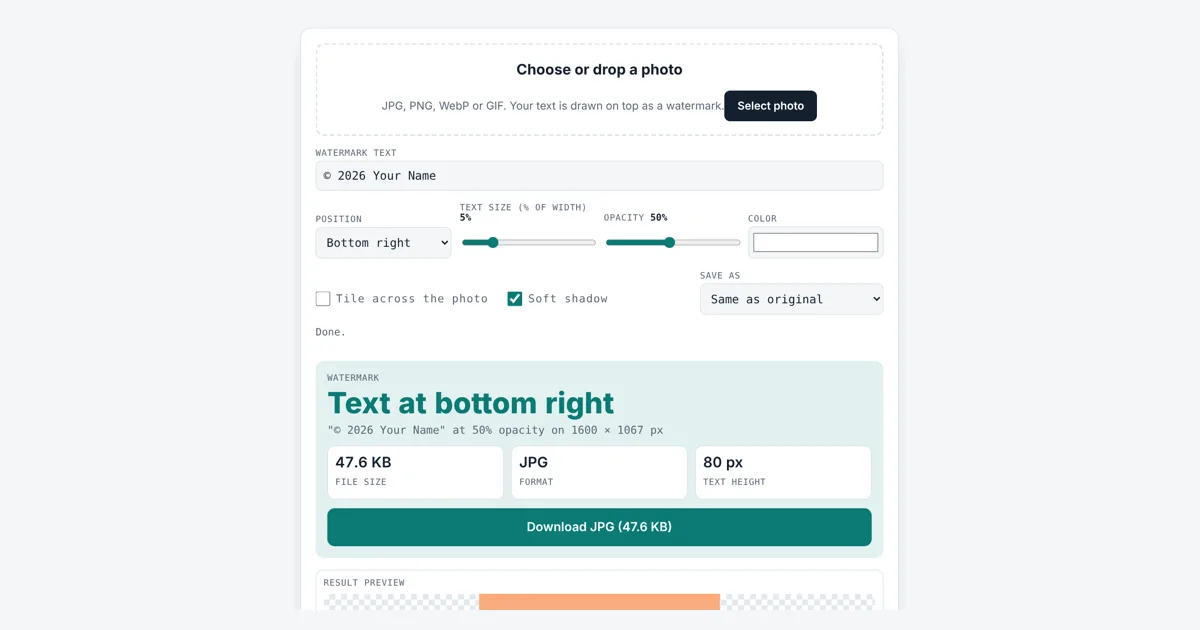
This tool helps you add watermark to photo files for photographers, sellers, artists and anyone sharing images online who wants their name on them. You get a copy with your text drawn in, at the size, place, color and opacity you choose, and your original file is left untouched.
How Do I Add Watermark to Photo Files for Free?
Load the photo, type your text, then pick a position, size, opacity and color. The text size is a percent of the photo width, so 5% on a 1600 px wide photo gives 80 px text. Turn on Tile to repeat it diagonally, 10 copies on our test photo, then tap Download.
What Is a Photo Watermark?
A photo watermark is text or a logo laid over an image, often semi-transparent, that shows who owns or made the picture.
The name comes from paper watermarks, patterns pressed into paper while it is made. A digital visible watermark is drawn into the pixels, so it travels with every copy of the image. This tool draws text with the canvas, using opacity (also called alpha) to control how much of the photo shows through: 100% is solid, 50% lets half the photo through. An optional soft shadow keeps light text readable on bright areas.
shown color = text color × opacity + photo color × (1 − opacity)
The second line is standard alpha compositing, the way the browser blends the text into the photo.
Where Should You Put a Watermark on a Photo?
Put it in a corner when you want a subtle signature, and in the center or tiled across the image when you need to stop people reusing the photo.
| Use | Position | Size | Opacity |
|---|---|---|---|
| Portfolio or social post | Bottom right corner | 3 to 5% | 40 to 60% |
| Client proofs before payment | Tiled | 3 to 5% | 30 to 50% |
| Product photos on a marketplace | Bottom center | 4 to 6% | 30 to 50% |
| Draft or sample document | Center | 10 to 20% | 20 to 40% |
These are practical starting points, not rules. A corner mark can be cropped off, so for proofs a tiled mark is much harder to remove. To check the photo’s shape before posting, the aspect ratio calculator helps, and the image compressor makes the file lighter for the web.
Does a Watermark Protect My Copyright?
No, a watermark does not create copyright; in the US and the UK your photo is protected from the moment you take it, and a watermark only reminds people who owns it.
The US Copyright Office says a copyright notice is optional for works published since March 1, 1989. A notice has three parts: the © symbol or the word Copyright, the year of first publication, and the owner’s name, such as © 2026 Your Name. In the US, the Digital Millennium Copyright Act (DMCA) section 1202 makes it unlawful to knowingly remove such copyright information to hide infringement. This page gives general information, not legal advice.
How Do I Make a Watermark That Is Hard to Remove?
Use the tile option, a medium opacity of 30 to 50%, and text that crosses detailed parts of the photo rather than plain sky or background.
Repeated diagonal text covers the whole frame, so cropping cannot cut it out and retouching every copy takes a long time. Keep it light enough that buyers can still judge the photo.
Worked Example
We loaded a 1600 × 1067 photo and kept the default text, © 2026 Your Name, in white at the bottom right with 5% size and 50% opacity. The text was drawn 80 px tall (1600 × 5 ÷ 100) and the JPG came out at 47.6 KB. Ticking Tile across the photo repeated the text at a 30° slant with 10 copies on the photo, 148.3 KB. At 3% size the text was 48 px and 20 copies fitted. A long 44 character text at 20% was too wide for the photo, so the tool shrank it to 60 px to fit. Copy counts and sizes come from Chrome and depend on the fonts on your device.
How Do You Use the Add Watermark to Photo?
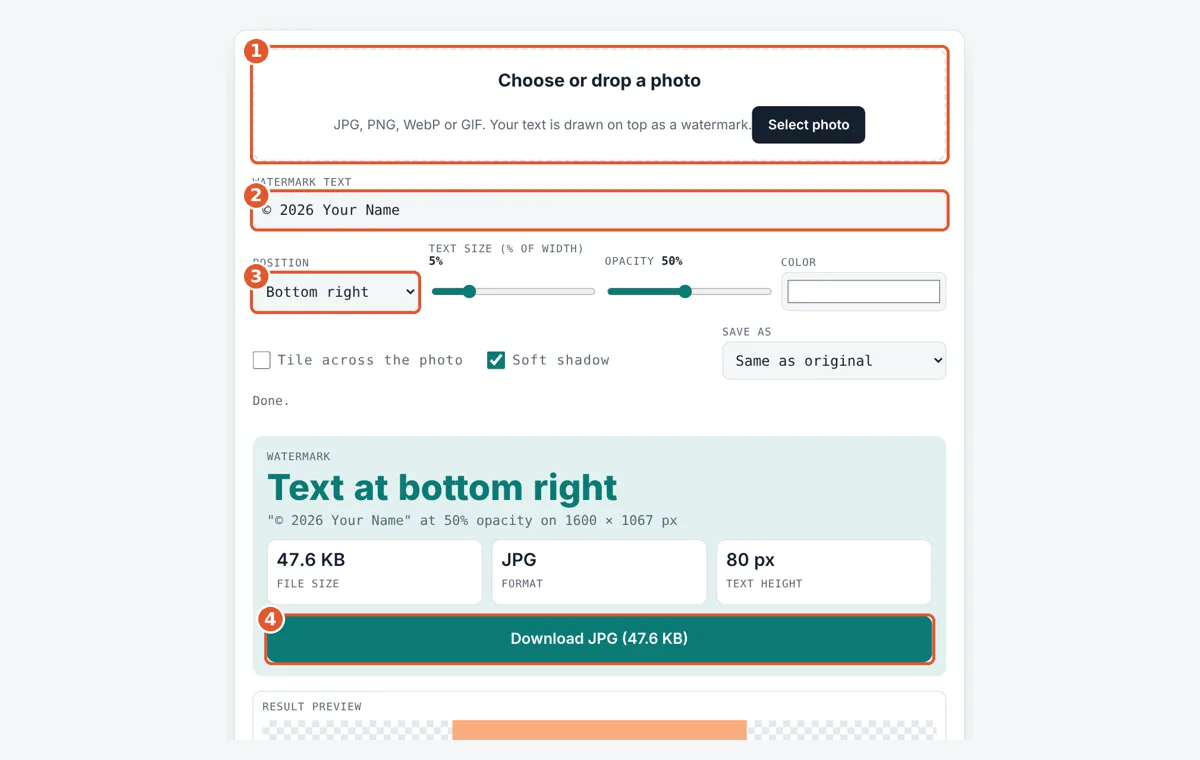
Choose your photo
Tap the drop area and pick a JPG, PNG, WebP or GIF, or drag a file in.
Type the watermark text
Enter your name, brand or website, for example © 2026 Your Name.
Set the look
Pick a position, size, opacity and color, or tick Tile across the photo.
Download the photo
Check the preview, choose a format if needed, then tap Download.
Frequently Asked Questions
What opacity is best for a watermark?
Between 30% and 60% works for most photos. At 50% the text is clearly visible but the photo still shows through. Go up to 80% or 100% on busy images where faint text gets lost.
How big should a watermark be?
For a corner signature, 3% to 5% of the photo width is common, which is 48 to 80 px on a 1600 px photo. A center or draft mark can be 10% to 20%. The tool shrinks text that would not fit.
Can I add the © symbol?
Yes. The default text already includes ©. On Windows you can type Alt+0169, on a Mac Option+G, and on phones it is in the symbols keyboard. You can also write Copyright or Copr. instead.
Does the tool change my original photo?
No. It makes a new copy with the watermark drawn in. Your original file stays as it was on your device, so keep it safe as the clean master copy.
Can I watermark a PNG with a transparent background?
Yes. Keep Save as on Same as original or choose PNG or WebP, and the clear parts stay clear while the text is added. Saving as JPG fills transparent parts with white.
Is my photo uploaded to add the watermark?
No. The text is drawn on a canvas inside your browser, so the photo never leaves your phone or computer. Nothing is stored after you close the page.
Sources and Further Reading
- U.S. Copyright Office: Circular 3, Copyright Notice (PDF)
- U.S. Copyright Office: Title 17 Chapter 12, section 1202 integrity of copyright management information
- MDN Web Docs: CanvasRenderingContext2D globalAlpha property
Related Tools
Last reviewed: October 2026