Paste any list and put it in alphabetical order instantly. Sort A to Z or Z to A, by surname, word by word or letter by letter, with The, A and An ignored and the sorting rules of your language.
Sorting happens in your browser with its built in language rules. Your list is never uploaded, so it is safe for names, emails and other personal data.
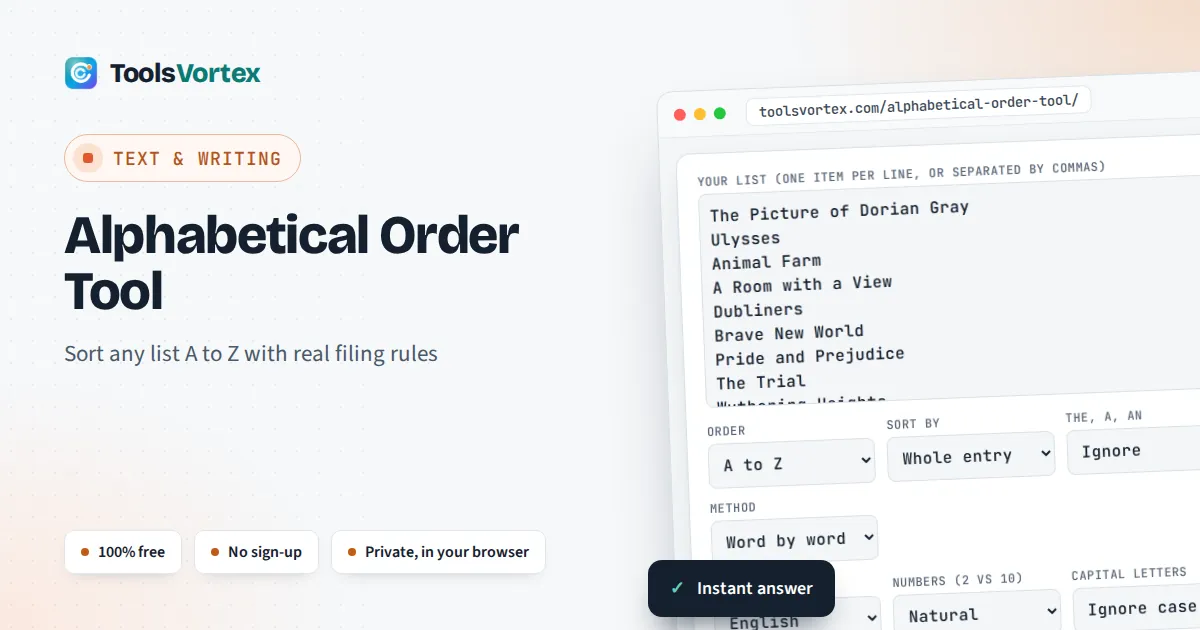
This alphabetical order tool sorts a list of words, names, titles or lines from A to Z for students, teachers, writers, office staff and anyone tidying a glossary, bibliography, guest list or spreadsheet column. Unlike a basic sort button, it follows the filing rules that libraries, indexers and phone directories use, and it applies the alphabet of your language, so German, Swedish, Spanish, Danish and Irish lists come out in the order a native reader expects.
How Do You Put a List in Alphabetical Order?
Compare the first letter of each item and order them from A to Z. When first letters match, compare the second letter, then the third, and so on. A shorter word that matches the start of a longer one comes first, so Oak sorts before Oakley. Decide before you start whether to ignore The, A and An.
What Are the Rules of Alphabetical Order?
Alphabetical order compares items one character at a time, and the first difference decides the order. Everything else is a choice that you should make once and apply to the whole list. These are the settings the tool uses:
2. Nothing comes before something: Oak before Oakley
3. Upper and lower case count as the same letter
4. Numbers come before letters, and 2 comes before 10
5. Leading The, A and An are skipped for titles
6. Accents follow your language: ä is an a in German, a separate letter after z in Swedish
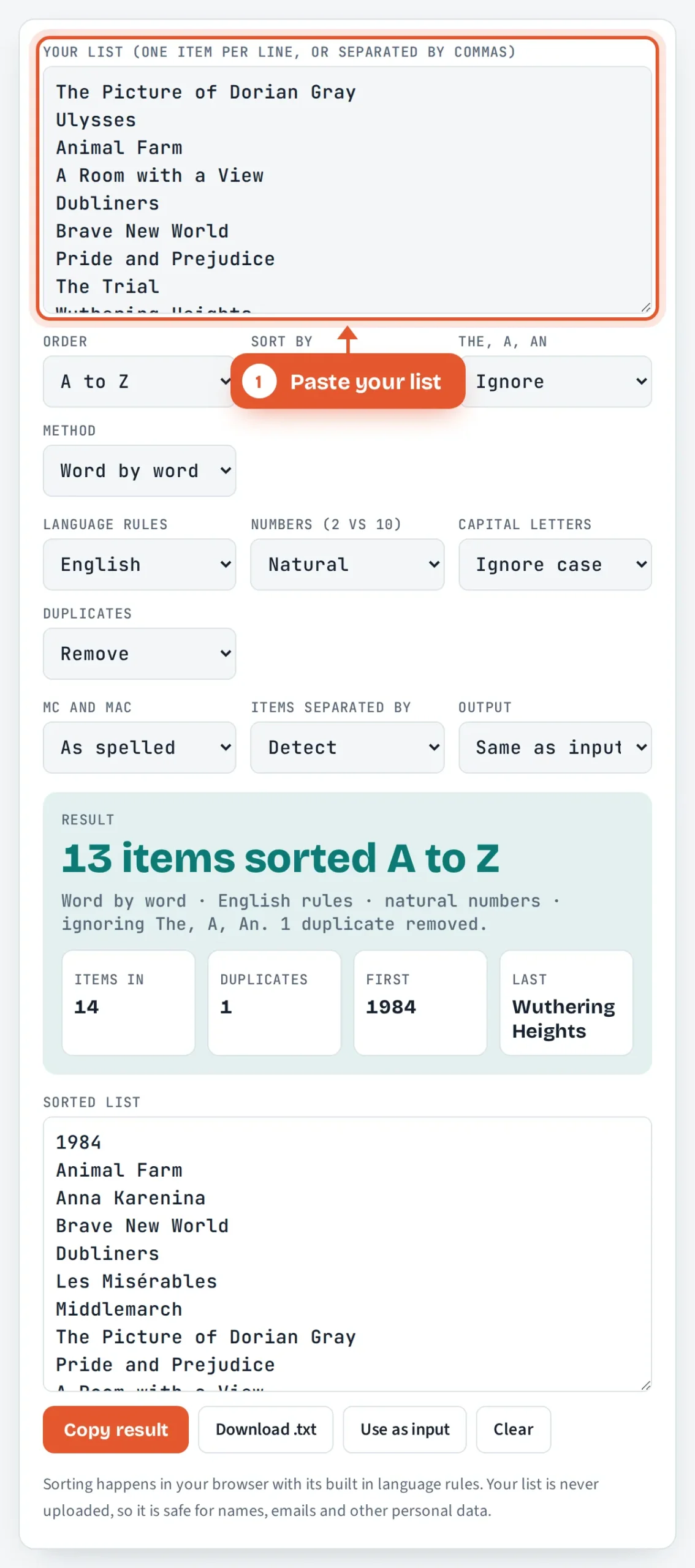
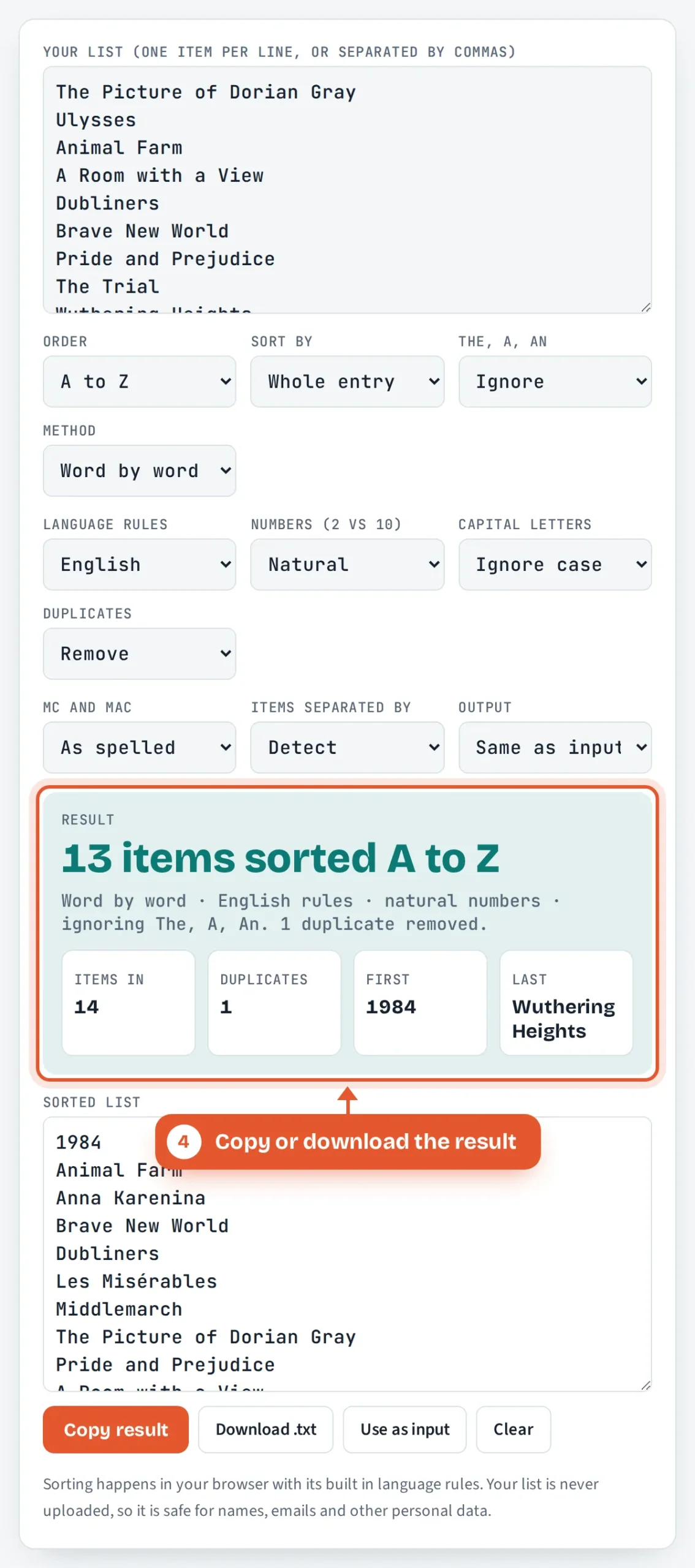
The worked example above uses a classic reading list. With the default settings, “The Picture of Dorian Gray” files under P, “A Room with a View” under R, “1984” goes to the top because digits sort before letters, and the second “ulysses” is removed as a duplicate because case is ignored. That leaves 13 titles, from 1984 to Wuthering Heights. If you only need to clean the list, our case converter can fix the capitals first, and the word counter tells you how long the finished list is.
What Is the Difference Between Word by Word and Letter by Letter?
Word by word sorting stops at the end of the first word and only then looks at the next word, while letter by letter sorting ignores spaces and hyphens completely. Both are correct, and indexes, dictionaries and directories each pick one. This is the example given in the Wikipedia article on alphabetical order, and the tool reproduces it exactly:
| Position | Word by word | Letter by letter |
|---|---|---|
| 1 | Oak | Oak |
| 2 | Oak Hill | Oak Hill |
| 3 | Oak Ridge | Oakley Park |
| 4 | Oakley Park | Oakley River |
| 5 | Oakley River | Oak Ridge |
Word by word keeps every “Oak” entry together, which suits place names, organisations and multi word terms. Letter by letter keeps compounds in the same spot however they are written, so “e mail”, “e-mail” and “email” sit side by side, which is why many dictionaries use it. In both modes the tool ignores apostrophes and full stops, and in word by word mode it treats a hyphen as a space.
How Do You Alphabetize Names by Last Name?
Sort by the surname first and use the first name only to break ties, so “Samuel Beckett” files under B. Choose Last name in the tool and it moves the final word to the front of the sort key, skips endings such as Jr and III, and leaves entries already written as “Surname, First name” untouched. Irish prefixes Ó, Ní, Mac and Nic stay attached to the surname, so “Ciarán Ó Súilleabháin” files under Ó, not under S.
Worked example: an Irish class list
A teacher in Cork pastes eight names: Aoife Ní Bhriain, Conor McCarthy, Siobhán Murphy, Liam Mac Cárthaigh, Niamh O’Brien, Ciarán Ó Súilleabháin, Eoin MacNeill and Gráinne Nolan. Sorted by last name, word by word, the result is Mac Cárthaigh, MacNeill, McCarthy, Murphy, Ní Bhriain, Nolan, Ó Súilleabháin, O’Brien. “Ó” on its own is a complete word, so it comes before “OBrien”, just as Oak comes before Oakley. Switch Mc and Mac to “File Mc as Mac” and McCarthy moves up to sit between Mac Cárthaigh and MacNeill, the older library rule that the Wikipedia article describes as less common since computer sorting.
Why Do Ä, Ö and Å Sort Differently in German and Swedish?
Each language has its own alphabet, so the same letter can belong in different places. In German, ä is treated as a form of a and sorts before z, but in Swedish ä is a separate letter that comes after z, as the MDN reference for Intl.Collator shows. Pick the right language and the tool applies the Unicode Collation Algorithm rules for it.
| Language | Rule | Tool output |
|---|---|---|
| English (UK, IE) | Accents only break ties, so Ñ files with N | Ñu, Nube, Oro |
| German | Ä and Ö file with A and O | Ölmez, Otto, Zimmer |
| Swedish | Å, Ä, Ö come after Z | Zebra, Ål, Äpple, Öst |
| Danish, Norwegian | Æ, Ø, Å come after Z | Anders, Zara, Æble, Åse |
| Spanish | Ñ is its own letter after N | Nube, Ñandú, Oso |
Character code order is also available. It sorts by the number each character has in the computer’s character set, so every capital letter comes before every lowercase letter and “Zebra” lands above “apple”. That is useful for matching how a program or spreadsheet formula will see the list, but it is rarely what a human reader expects.
Why Does 10 Come Before 2, and How Do You Fix It?
Ten sorts before 2 when numbers are compared digit by digit, because the first character “1” is lower than “2”. Natural sorting reads each run of digits as a whole number instead, so “Room 2” comes before “Room 10” and “Chapter 9” before “Chapter 12”. The tool uses natural order by default. Switch Numbers to Digit by digit if you need to match the order a file manager or a plain text sort produces. For lists that are only numbers, a random number generator is handy for making test data.
Should You Ignore The, A and An When Sorting Titles?
Yes for titles of books, films, songs and organisations, because the article says nothing about what the title is, and a list with a dozen titles under T is hard to scan. Libraries and indexes either skip the article or move it to the end, as in “Trial, The”. The tool skips a leading The, A or An only for sorting, and still shows each title exactly as you typed it. Set The, A, An to Keep for lists where the article is part of the name you want filed, such as “A Level results” in a school document.
How Do You Use the Alphabetical Order Tool?
Paste your list
Type or paste one item per line, or a single line separated by commas. The sorted result updates as you type.

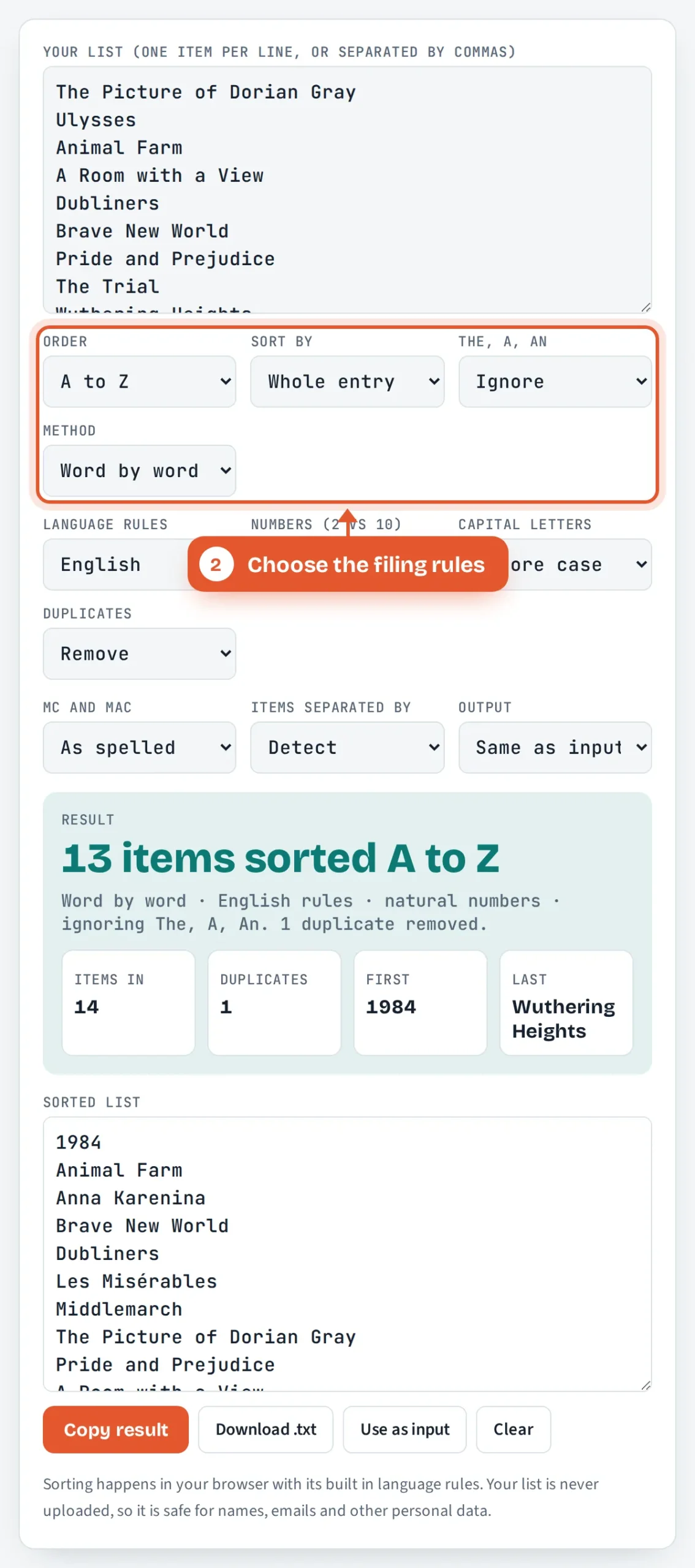
Choose the filing rules
Pick A to Z or Z to A, whole entry or surname, whether to ignore The, A and An, and word by word or letter by letter.
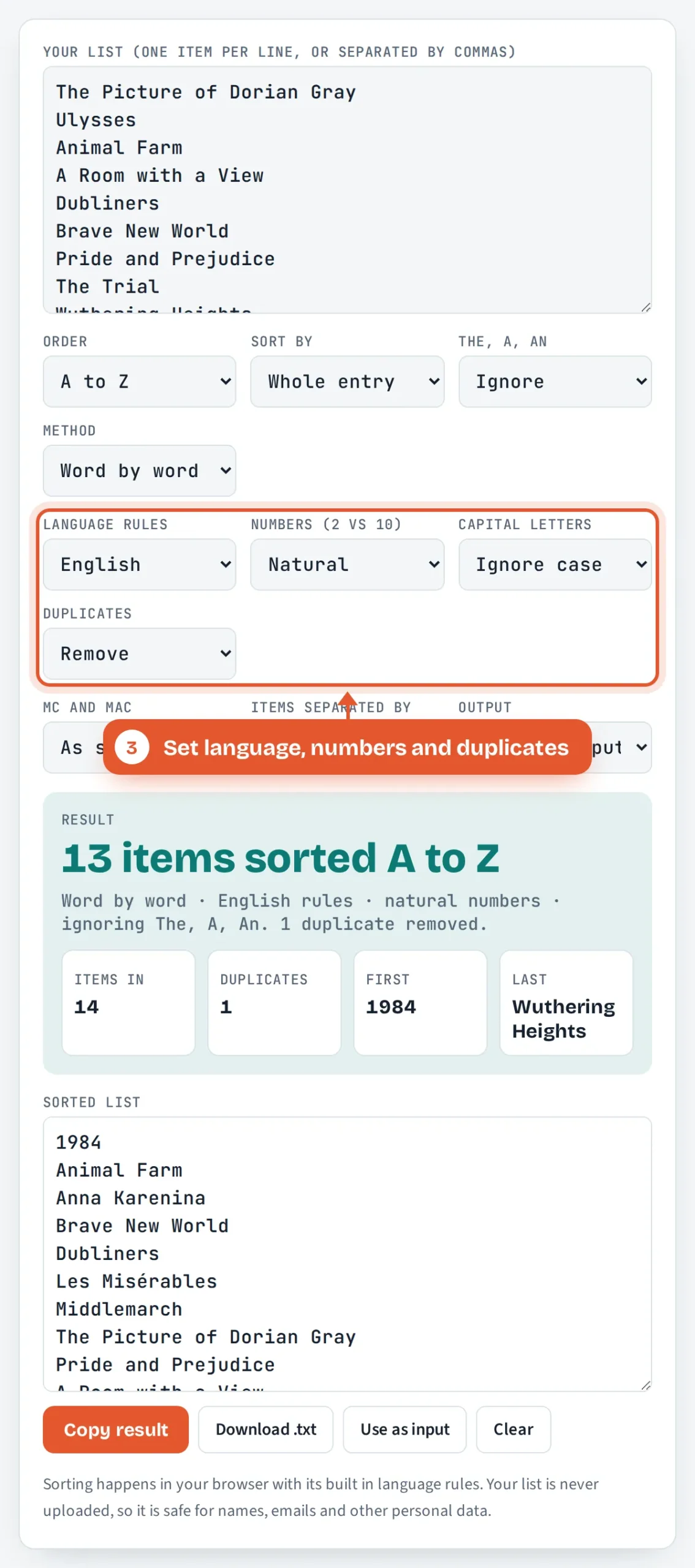
Set language, numbers and duplicates
Choose your language’s alphabet, natural or digit by digit numbers, how to treat capitals and whether to remove repeated items.
Copy or download the result
Check the item and duplicate counts, then copy the sorted list, download it as a text file or choose numbered or A to Z heading output.
Frequently Asked Questions
Does a number come before a letter in alphabetical order?
Yes. Digits sort before letters in standard computer and dictionary order, so “1984” comes before “Animal Farm”. Some style guides prefer to file numbers as if they were spelled out, so 1984 would go under N for nineteen. Type the number as words if you need that rule.
How do you alphabetize names with Mc and Mac?
Modern lists file them exactly as spelled, so MacNeill comes before McCarthy because a comes before c. Older library and directory practice files every Mc as if it were spelled Mac. Choose File Mc as Mac in the tool to follow that traditional rule.
Are capital letters sorted before lowercase letters?
Not in normal alphabetical order, which treats A and a as the same letter. Only character code order puts all capitals first, so Zebra sorts above apple. In the tool, Ignore case keeps your original order for ties, while Capitals first or Lowercase first decides between Apple and apple.
Can I sort a comma separated list alphabetically?
Yes. Paste the list on one line with commas between items and the tool detects the commas, sorts each item and gives you a comma separated result. You can also switch the output to one item per line, a numbered list or A to Z letter headings.
Where does O’Brien go in alphabetical order?
Apostrophes are ignored, so O’Brien sorts as OBrien, after Oakes and before Oliver. Word by word filing puts names written with a separate Ó, such as Ó Briain, before every O’ name, because a single letter word comes before a longer one. Letter by letter filing mixes them together.
Is my list saved or uploaded anywhere?
No. The sorting runs entirely in your web browser using its built in language rules, and nothing is sent to ToolsVortex or any other server. You can safely sort class lists, customer names or email addresses, and the text disappears when you close the page.
Sources and Further Reading
- Alphabetical order, Wikipedia
- Intl.Collator, MDN Web Docs
- Unicode Technical Standard #10: Unicode Collation Algorithm, Unicode Consortium
Related Tools
Last reviewed: October 2026