Pick a start time, then add or subtract hours, minutes and seconds to get the new clock time. If the answer runs past midnight, the tool tells you how many days it moved.
Runs in your browser. Nothing you type is sent anywhere.
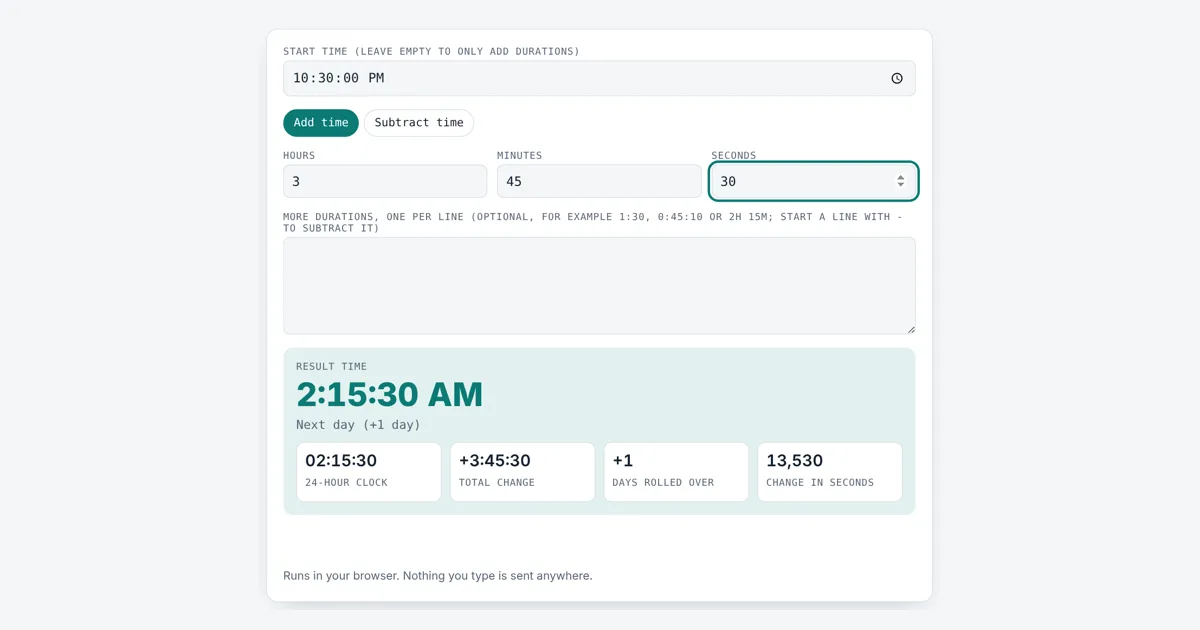
This add time calculator is for shift workers, travellers, cooks, students and anyone who needs to know what time it will be after a set amount of time, or what time it was before. You get the result as a 12-hour and 24-hour clock time with day rollover, plus the total change. Leave the start empty to simply add up a list of durations.
How Do You Add Time to a Clock Time?
Convert the start time and the duration to seconds, add them, and convert back, carrying every 86,400 seconds into the next day. For example, 22:30:00 plus 3 hours 45 minutes 30 seconds is 26:15:30, which is 2:15:30 AM the next day. Subtracting 10 hours from 8:00 AM gives 10:00 PM the previous day.
How Do You Add Hours and Minutes to a Time?
Turn the start time and the time you want to add into seconds after midnight, add them, then turn the total back into a clock time, carrying anything over 24 hours into the next day.
new total = start ± change
days rolled over = floor(new total ÷ 86,400)
clock time = new total − days × 86,400
A day has 86,400 seconds (24 × 60 × 60). Time uses a sexagesimal, base 60, system, so 60 seconds carry into a minute and 60 minutes carry into an hour, unlike normal base 10 adding. The second is the SI base unit of time, defined by NIST and the international bureau of weights and measures.
What Happens When Added Time Goes Past Midnight?
When the total passes 24:00 the clock starts again from 00:00 and the date moves forward by one day, which is called day rollover. Adding 3 hours 45 minutes 30 seconds to 22:30:00 gives 26:15:30, which is 2:15:30 AM on the next day. Subtracting works the other way: 8:00 AM minus 10 hours is 10:00 PM on the previous day. The tool shows the result on the 24-hour clock used by ISO 8601 and in 12-hour AM and PM form. To switch between the two styles, use the military time converter.
Adding Time Examples
These results come straight from this tool:
| Start | Change | Result | Day |
|---|---|---|---|
| 22:30:00 | +3:45:30 | 2:15:30 AM | +1 |
| 09:00:00 | +2:35:15 | 11:35:15 AM | same |
| 08:00:00 | -10:00:00 | 10:00:00 PM | -1 |
| 09:15:00 | +50:00:00 | 11:15:00 AM | +2 |
| 13:20:00 | +0:45:00 | 2:05:00 PM | same |
| none | 1:30 + 45m + 0:20:15 | 2:35:15 total | n/a |
Can You Add Up a List of Durations?
Yes, type each duration on its own line in the list box and leave the start time empty to get the plain total. This is handy for adding up song lengths, lap times or tasks. Lines can be written as 1:30 (hours and minutes), 0:45:10 (hours, minutes and seconds) or 2h 15m 10s, and a line starting with a minus sign is taken away. If you want the gap between two clock times instead, the time duration calculator works it out, and the hours calculator handles start and end times too.
Worked Example
A night shift starts at 22:30:00 and the job takes 3 hours 45 minutes 30 seconds. Keep Add time selected, enter 22:30:00 as the start and 3, 45 and 30 in the boxes. The tool shows 2:15:30 AM, marked next day (+1 day), with 02:15:30 on the 24-hour clock and a change of 13,530 seconds. To total three tasks instead, clear the start time, enter 1 hour 30 minutes in the boxes and add 45m and 0:20:15 as two lines in the list: the total is 2:35:15. With a start of 09:00:00 that finishes at 11:35:15 AM.
How Do You Use the Add Time Calculator?
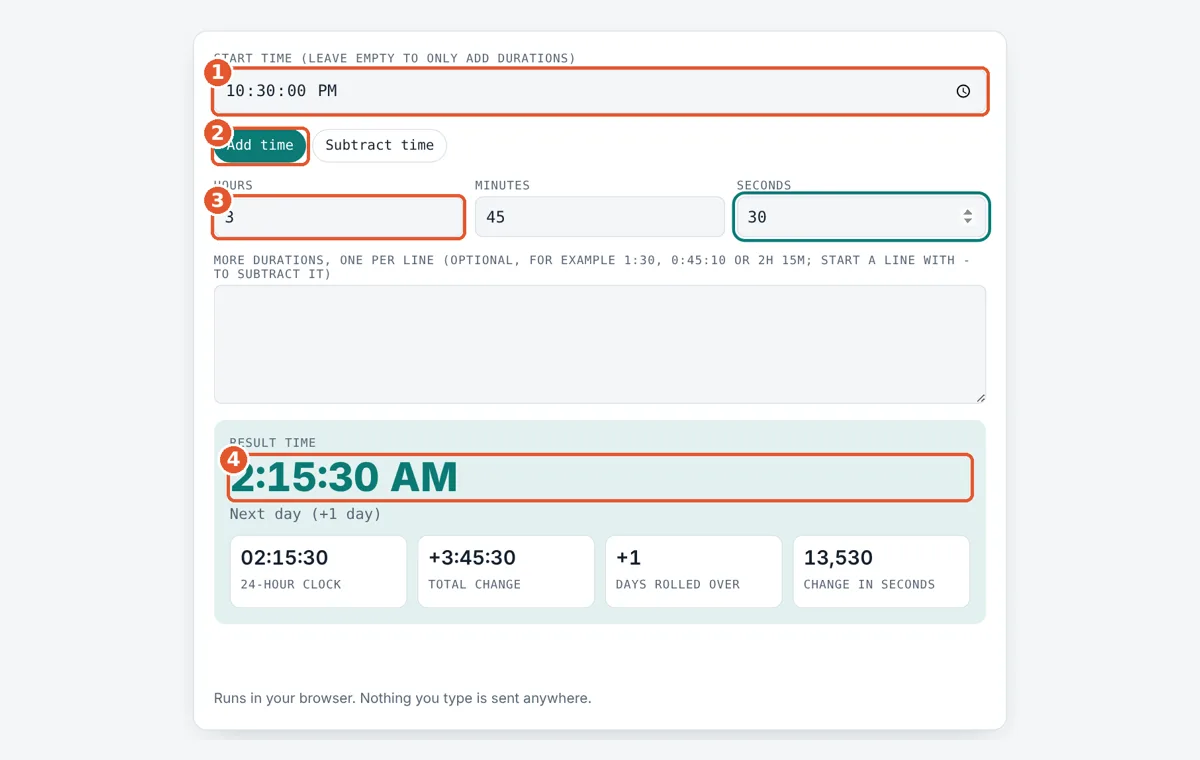
Enter the start time
Pick a clock time with seconds, or leave it empty to only total durations.
Choose add or subtract
Tap Add time or Subtract time to set the direction.
Enter the time to change
Type hours, minutes and seconds, and add extra lines to the list if needed.
Read the result
See the new clock time, the day rollover and the total change.
Frequently Asked Questions
What time is it 8 hours after 11 PM?
8 hours after 11:00 PM is 7:00 AM the next day. 23:00 plus 8 hours is 31:00, and taking away 24 hours for the new day leaves 07:00 on the 24-hour clock.
How do I subtract time that goes before midnight?
Tap Subtract time and enter the amount. The tool moves back across midnight for you. For example, 6:00 AM minus 10 hours gives 8:00 PM on the previous day, shown with a day change of -1.
How do I add minutes over 60?
Type them as they are. The tool carries every 60 minutes into an hour, so 135 minutes is treated as 2 hours 15 minutes. Adding 135 minutes to 9:00 AM gives 11:15 AM.
Can I add more than 24 hours?
Yes. Large amounts roll over as many days as needed. Adding 50 hours to 9:15 AM gives 11:15 AM two days later, shown as +2 days, because 50 hours is 2 days and 2 hours.
How do I total a list of times like song lengths?
Clear the start time, set the boxes to 0 and type each length on its own line, such as 3:45 for 3 hours 45 minutes or 0:03:45 for 3 minutes 45 seconds. The tool shows the total in h:mm:ss.
Does the tool handle daylight saving time?
No. It assumes each day has exactly 24 hours. If clocks change during the period you add, the real clock time will be one hour earlier or later than shown, so adjust by hand.
Sources and Further Reading
Related Tools
Last reviewed: October 2026