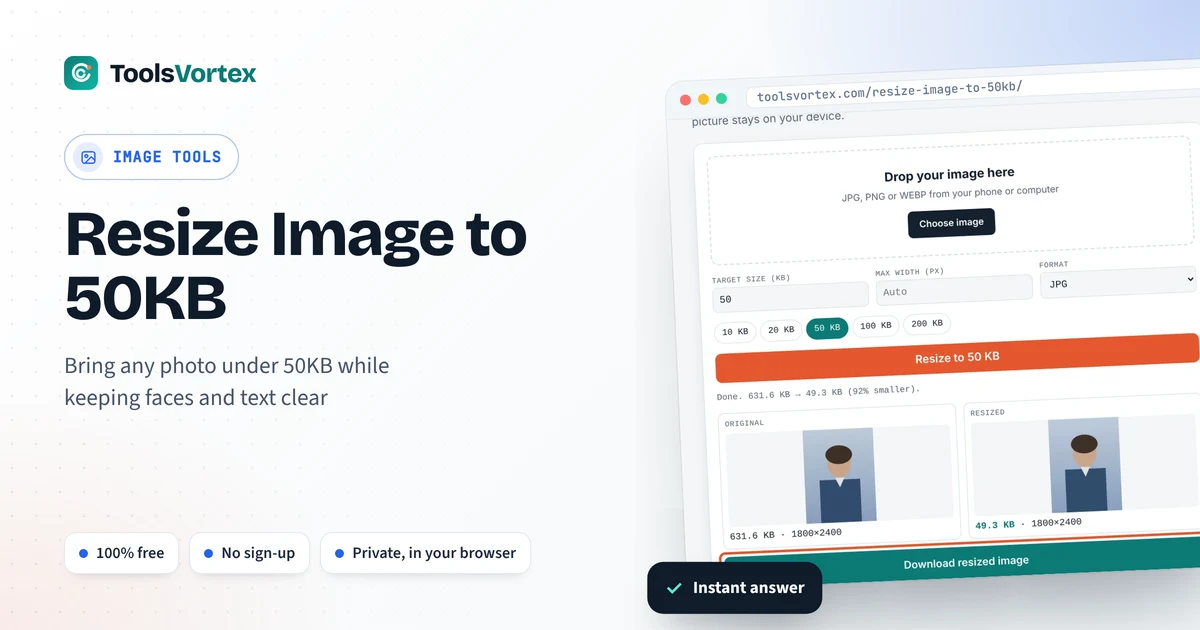
Bring any photo under 50KB while keeping faces and text clear. Runs in your browser, so your picture stays on your device.
Everything happens inside your browser. Nothing is uploaded to any server.

50KB is the sweet spot many upload forms ask for. It’s big enough for a clear passport-style photo but small enough to load fast on slow connections. Most phone photos are 40 to 100 times larger than that, so they need shrinking first. This tool does it in one click and keeps as much detail as the limit allows.
How do I reduce a photo to 50KB?
Load the photo in the tool above, keep the target at 50 KB and press Resize. The tool searches for the highest JPG quality that still fits under 50KB. Only if that isn’t enough does it reduce the pixel dimensions. Download the result and it’s ready to upload.
Why 50KB looks better than 20KB
File size is a budget for detail. With 50KB, a 350 × 450 px passport photo can be saved at high JPG quality, so skin tones stay smooth and edges stay sharp. At 20KB the same photo needs heavier compression, which shows up as blocky patches around the hair and collar. If a form gives you a range such as “20KB to 50KB”, aim near the top.
Typical 50KB uploads
| Upload | Common pixel size | Tip |
|---|---|---|
| Passport-style photo | 350 × 450 px | Plain light background, face fills most of the frame |
| Profile picture | 400 × 400 px | Square crop before resizing |
| Signature scan | 300 × 120 px | Usually fits in under 15KB, well within 50KB |
| Small receipt or slip | 600–800 px wide | Photograph flat, in daylight, with no shadow |
How to use the 50KB image resizer
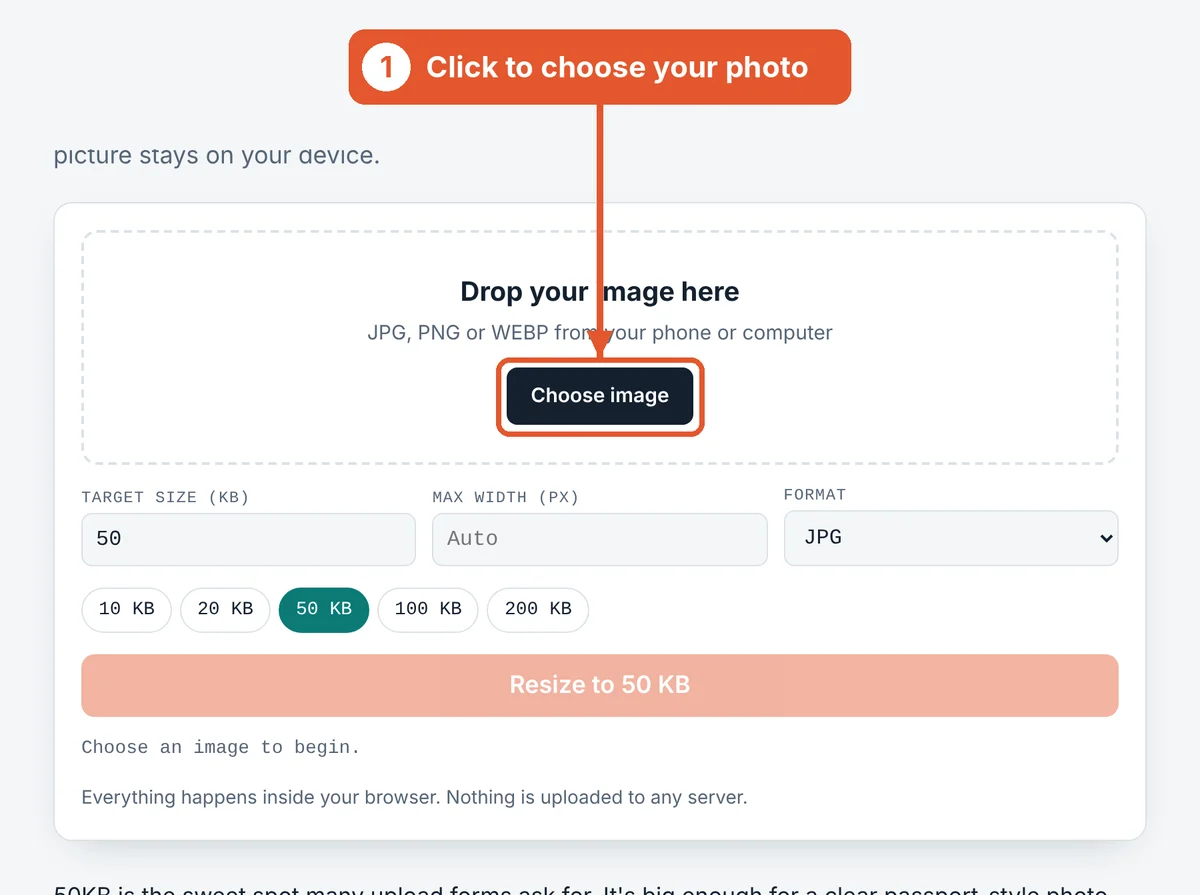
Choose your image
Click Choose image or drag the file into the dashed box. On a phone you can pick straight from your gallery or take a new photo.
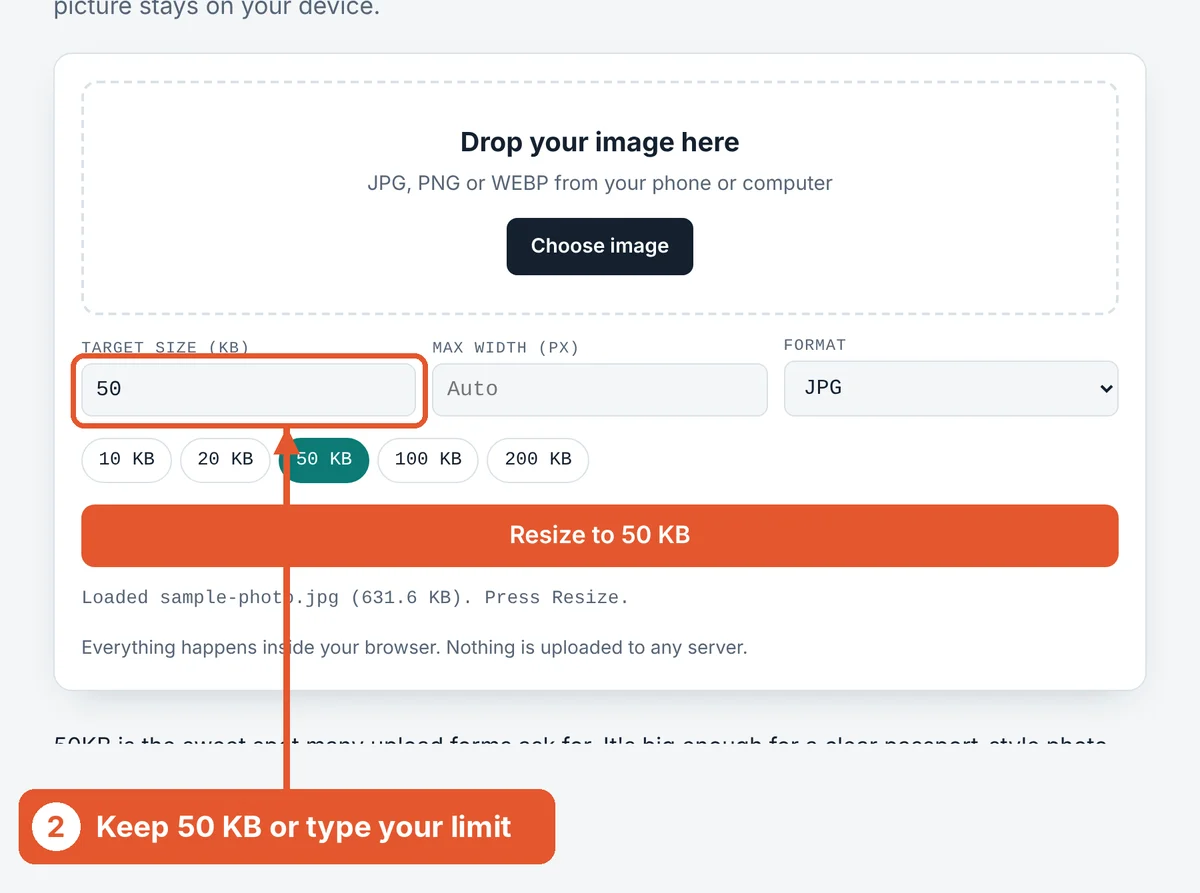
Check the target size
The target is already set to 50 KB. Tap a different chip or type your own number if your form asks for something else.
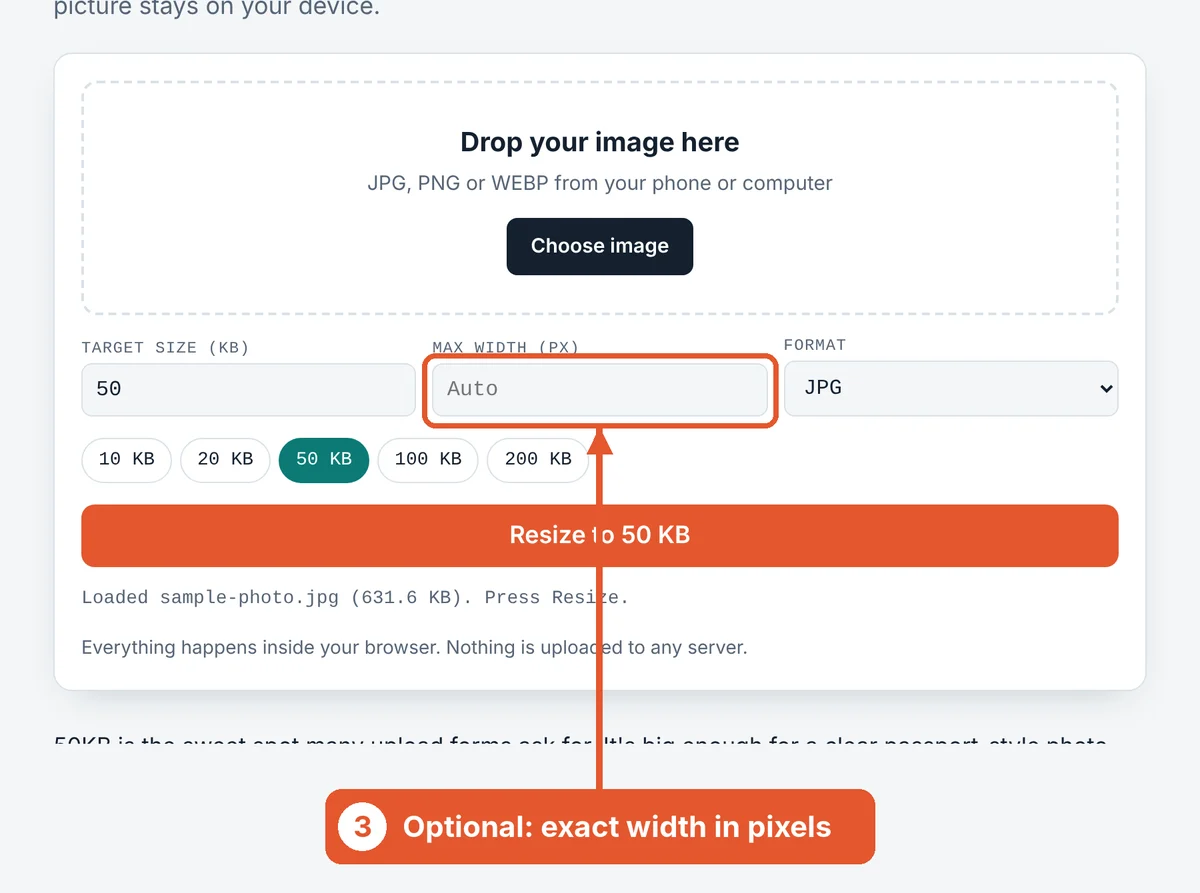
Set a width if the form asks for one
Some portals ask for an exact size such as 350 pixels wide. Type it here and the height adjusts automatically so the photo doesn’t stretch.
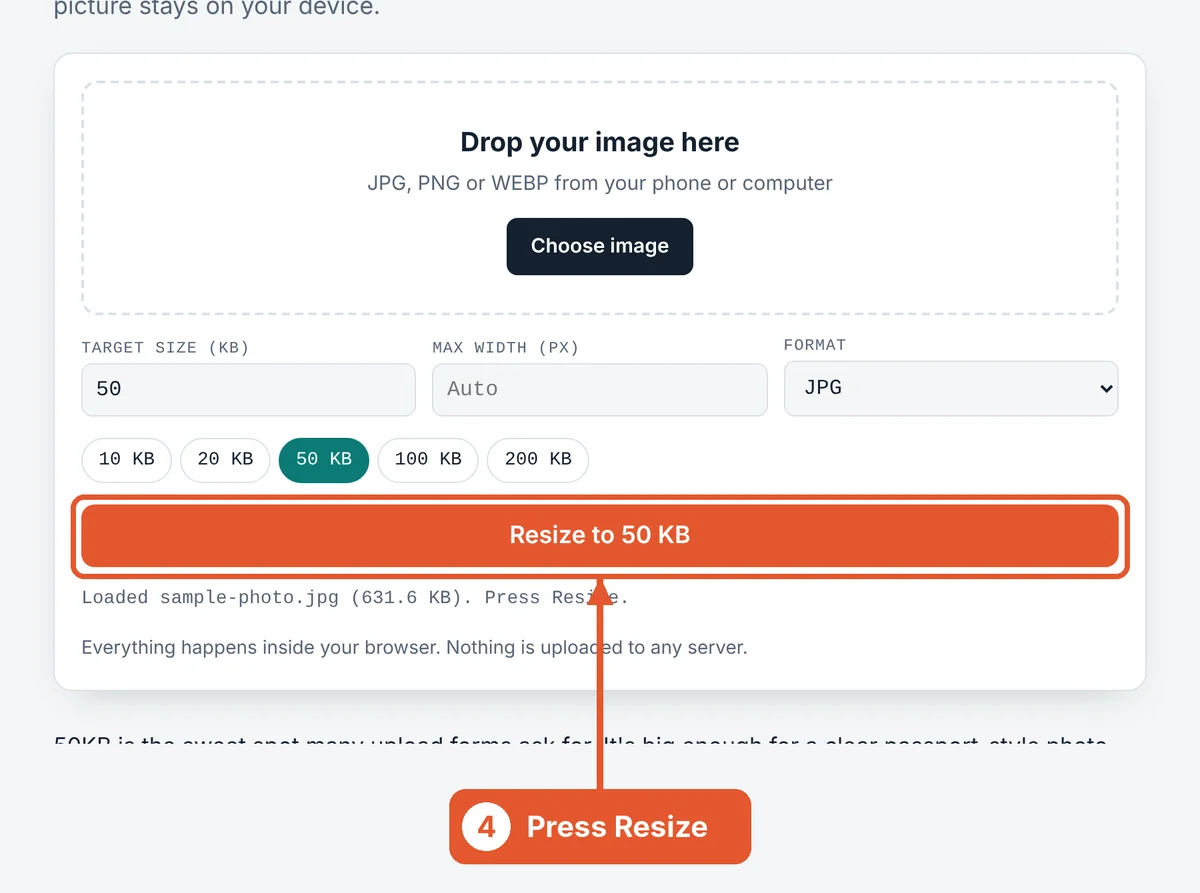
Press Resize
Hit the orange Resize to 50 KB button. Large phone photos usually finish in a second or two.
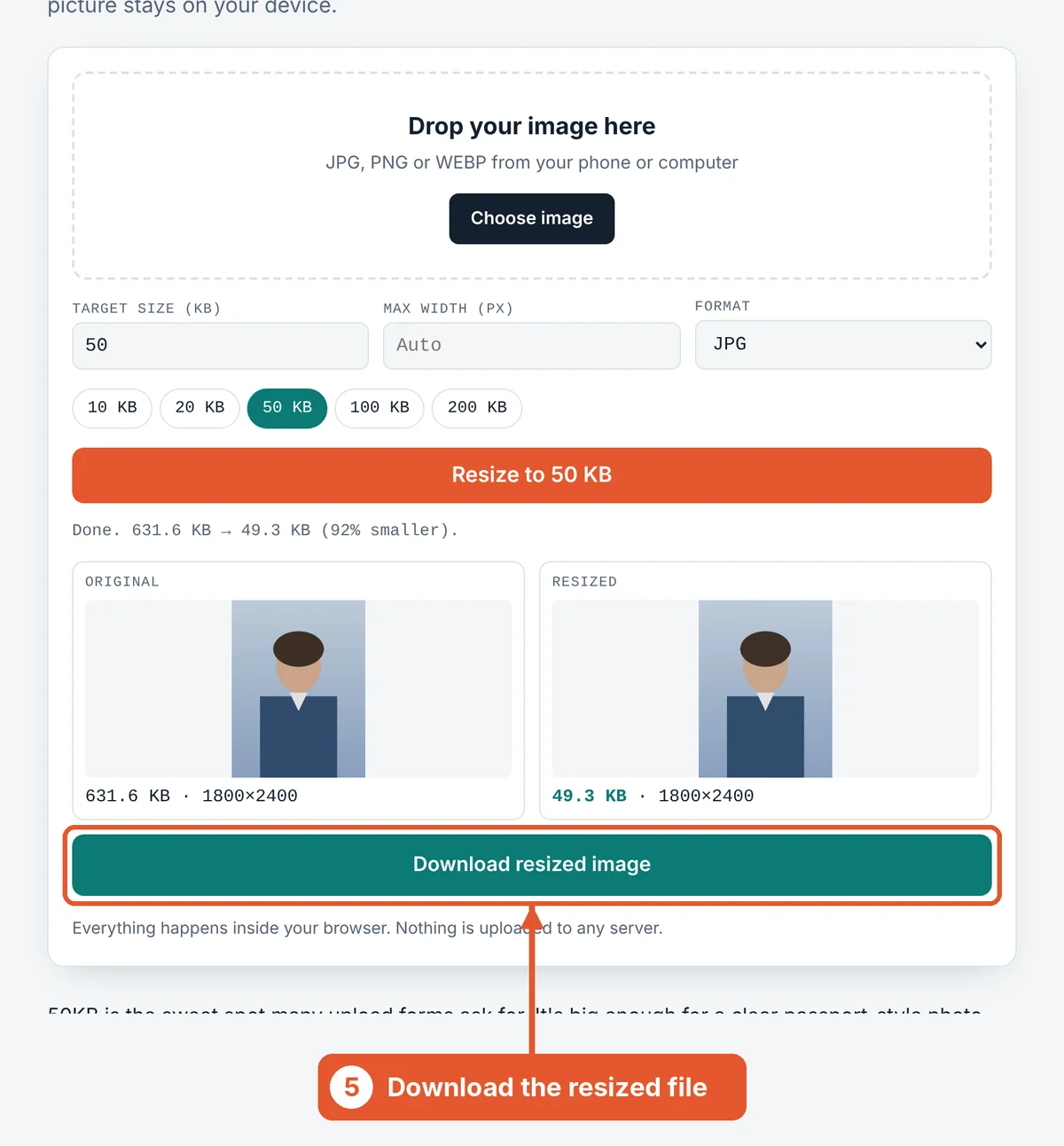
Compare and download
The original and the resized copy appear side by side with their sizes. The new size turns green when it fits. Click Download resized image and upload that file.
Getting the best result under 50KB
Start from the original photo. A picture that has already been compressed by WhatsApp loses more detail with each round. Use the file straight from your camera or gallery.
Match the requested dimensions. If a form wants 350 × 450 px, setting that width first means all 50KB is spent on the pixels the form actually shows.
Check the preview at full size. Open the downloaded file and zoom in. If the face looks soft, crop tighter and run it again.
Frequently asked questions
Can I compress an image to 50KB without losing quality?
Some quality loss is unavoidable when a 3 MB photo becomes 50KB, but at this size it’s usually invisible on screen. The tool always keeps the highest quality that still fits the limit.
Does it work with PNG files?
Yes. PNG, JPG and WEBP all work. Keep the format on JPG for photos, since PNG files stay much larger at the same quality.
Is there a limit on how many images I can resize?
No. Resize as many images as you like, one after another. There’s no account and no watermark.
Why did my image come out at 48KB and not exactly 50KB?
The tool stops just under your limit so the file is always accepted. Forms treat 50KB as a maximum, so 48KB is a perfect result.
Is my photo safe?
Yes. Your image is processed inside your own browser and is never sent to a server.
What if my photo is already under 50KB?
If the file already fits and you don’t change the width or format, the tool hands back your original untouched.
Sources and further reading
Related tools
Last reviewed: October 2026